I shop online a lot. And every time I'm comparing products across different sites, I end up with 15 browser tabs, a comparison spreadsheet I'll eventually abandon, and the nagging feeling that I missed something obvious.
That was the case when I was in the market for new running shoes. So I built a tool that does it for me.
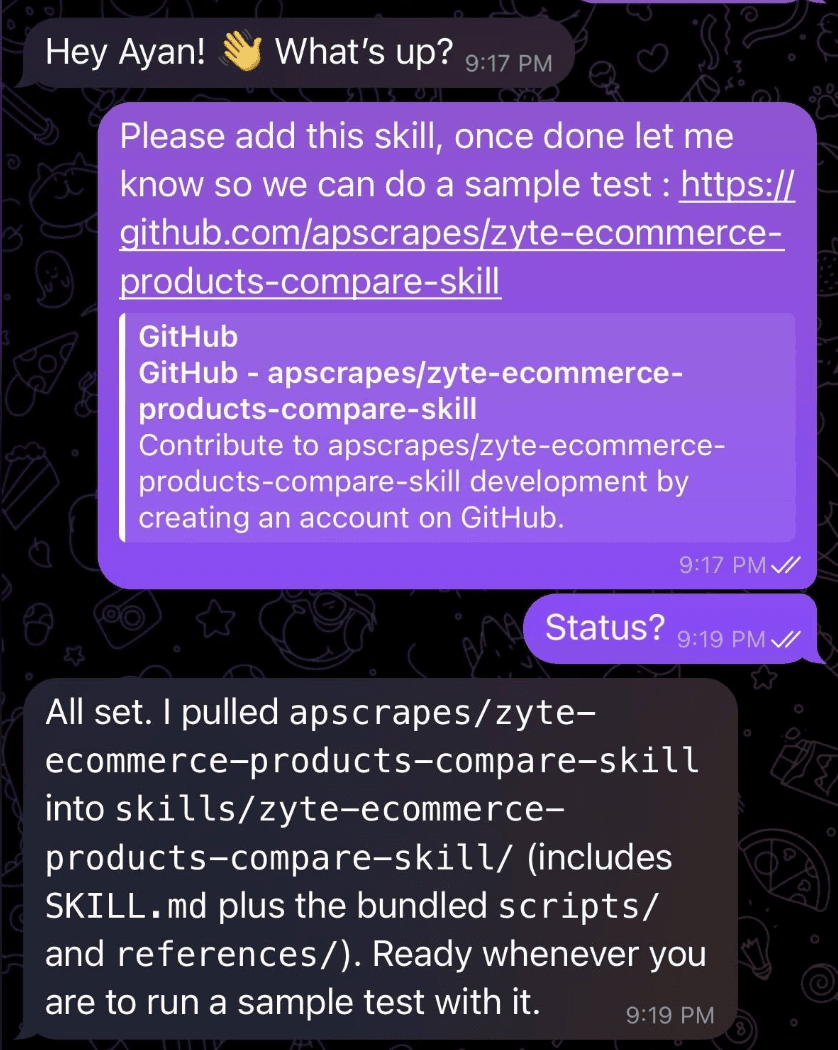
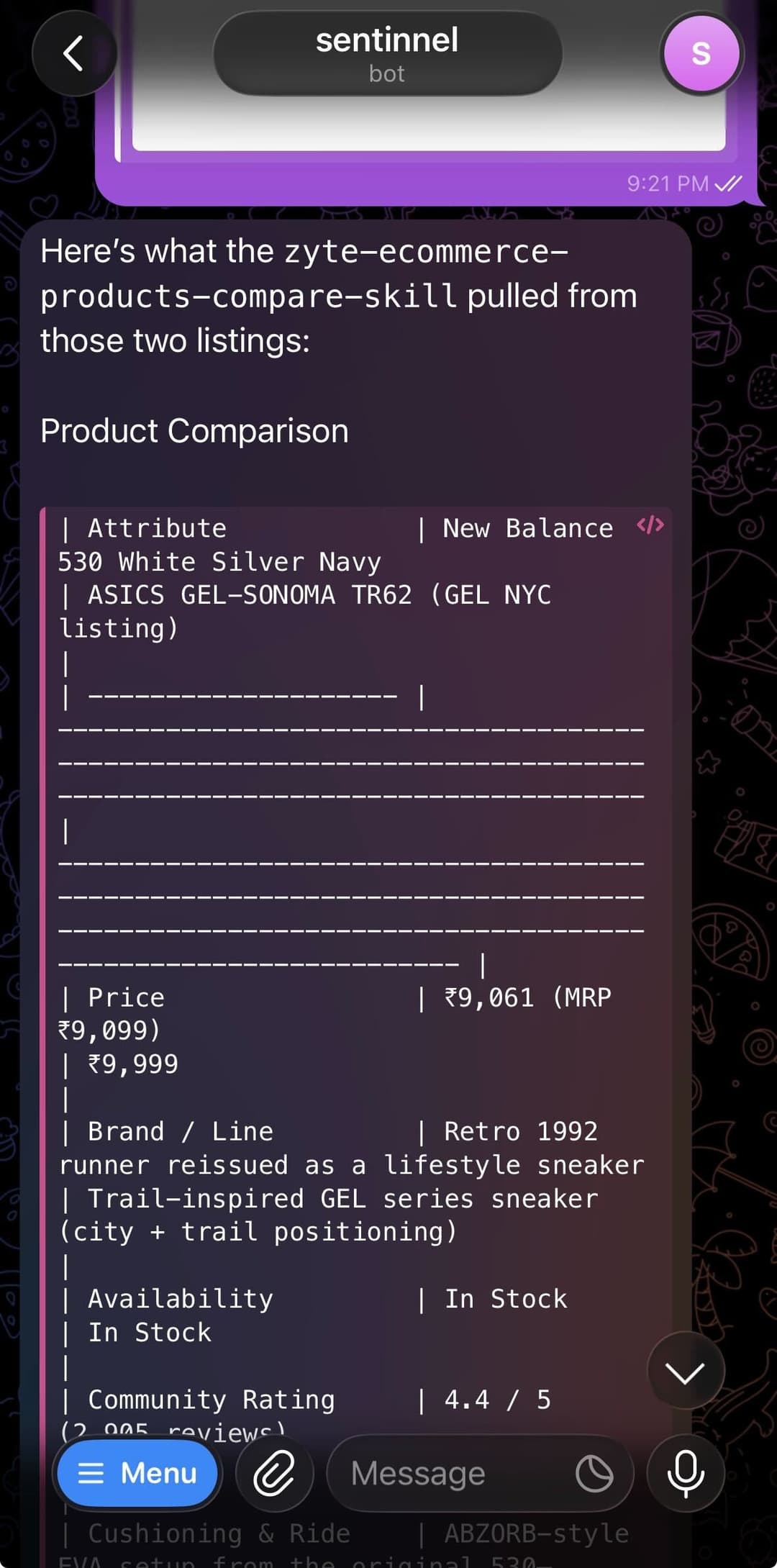
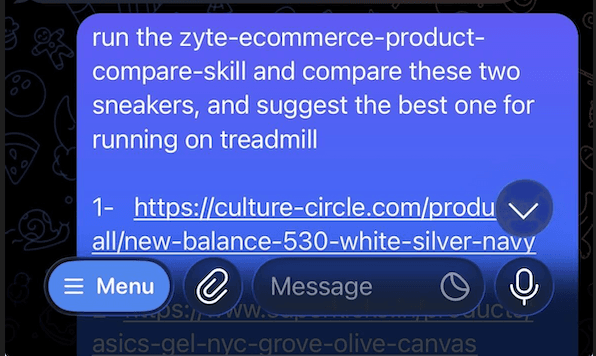
It's a Claude skill called zyte-ecommerce-products-compare-skill. You give it product URLs from any e-commerce site, it extracts structured data using Zyte API’s automatic extraction feature, and it gives you a clean comparison table with a purchase recommendation. It works with Claude, Claude Code, and even OpenClaw, so you can paste URLs on Telegram while on the fly and OpenClaw will help you choose the right fit before you hit “Buy now”.
This post walks through how it works, what I learned building it, and how you can set it up yourself.
What does the skill actually do?
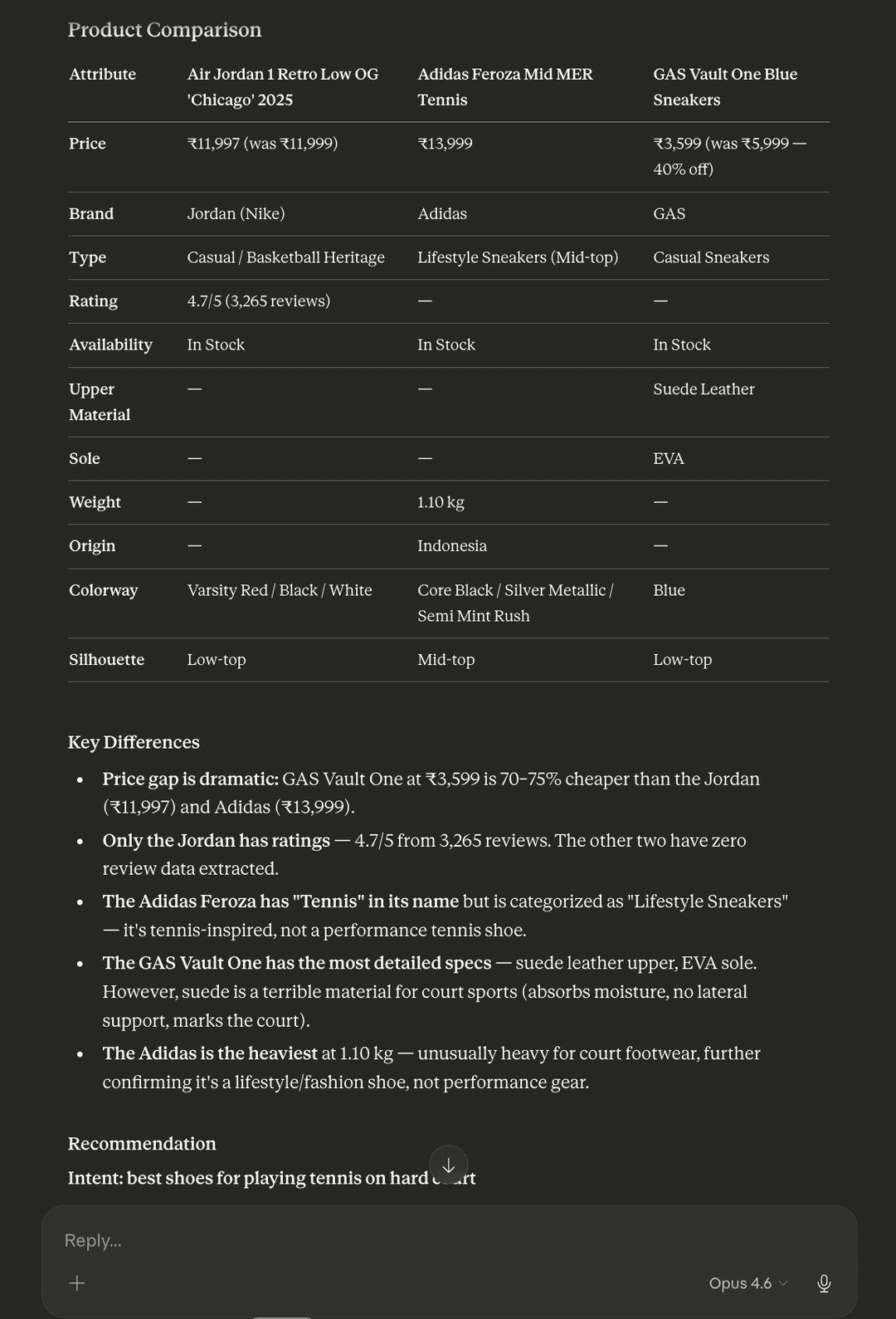
The workflow is straightforward. You paste two or more product page URLs into a conversation, optionally tell it what you care about (e.g. "best shoes for daily running" or "best value under $50"), and it returns a Markdown comparison table, key differences, and a recommendation with reasoning.
Under the hood, there are three steps:
- Fetch product data from each URL via Zyte API's
productautomatic extraction capability (in parallel) - Parse the responses into a normalized format, handling the various edge cases in real-world API output
- Compare the products and generate a recommendation based on your stated intent
The entire thing runs on Python 3.8+ standard library. No pip installs, no external dependencies.
Why Zyte API
While some e-commerce sites do provide features to compare products, the core problem lies in comparing products across sites, while every site also structures its data differently. One store puts the price in a <span class="price-now">, another might use JavaScript to render it client-side, and a third may hide it behind a "see price in cart" button.
Zyte API solves this with AI-powered product extraction. You send it a URL with "product": true, and it returns structured JSON with name, price, currency, brand, rating, availability, description, and specs, regardless of how the original site is built.
The API call is minimal:
1{"url": "https://example.com/products/some-item", "product": true}That's it. The API handles browser rendering, JavaScript execution, and machine learning (ML)-based field extraction internally. You get back clean, structured data.
For authentication, Zyte API uses HTTP basic auth with your API key as the username and an empty password. In Python's urllib, that looks like:
1auth_string = base64.b64encode(f"{api_key}:".encode()).decode()
2headers = {
3    "Content-Type": "application/json",
4    "Authorization": f"Basic {auth_string}",
5}If you want to try this yourself, sign up for a Zyte API account. It comes with $5 free credit, which is plenty for testing. A single product extraction costs roughly $0.001 to $0.01 depending on the site.
The parallel fetching problem
Product extraction isn't instant. Each call takes 10 to 30 seconds because the API renders the page in a headless browser and runs ML models on the result. If you're comparing three products sequentially, that's 30 to 90 seconds of waiting.
The fix was obvious: fetch them all at the same time.
Zyte API rate limits are RPM-based (1,400 requests per minute by default), not concurrency-based. So there is no hard cap on concurrent requests. Even 20 simultaneous product extractions barely dents the budget.
The fetcher script uses Python's concurrent.futures.ThreadPoolExecutor:
1from concurrent.futures import ThreadPoolExecutor, as_completed
2
3
4MAX_CONCURRENT = 5
5
6with ThreadPoolExecutor(max_workers=workers) as pool:
7    futures = {
8        pool.submit(fetch_one, api_key, url, idx): (idx, url)
9        for idx, url in valid
10    }
11    for future in as_completed(futures):
12        result = future.result()
13        results.append(result)
14The concurrency cap is set to five workers -ot because Zyte requires it, but to be a polite neighbor to the target domains. In practice, for a three-URL comparison, all three fire simultaneously. In my tests, this cut wall-clock time from roughly 90 seconds (sequential) to roughly 35 seconds, a 60% improvement.
Each URL gets its own error handling. If one fails, the others still complete. Failed URLs show up in a summary JSON so the comparison can proceed with whatever data is available.
The gzip bug that wasted an hour
Here is a debugging story that might save you time:
When I first wired up urllib.request, every single API response came back as gibberish. The product check kept reporting "no product data found" for URLs that worked fine with curl.
The issue was gzip compression. The script sends Accept-Encoding: gzip, deflate in the request headers, which tells the server "I can handle compressed responses."
Zyte's server obliges and sends back compressed data. But unlike curl --compressed, Python's urllib does not auto-decompress when you set the Accept-Encoding header manually. It hands you the raw compressed bytes and assumes you know what you're doing.
The fix was straightforward: check the first two bytes for the gzip magic number (0x1f 0x8b) and decompress manually:
1raw_bytes = resp.read()
2if raw_bytes[:2] == b"\x1f\x8b":
3    raw_bytes = gzip.decompress(raw_bytes)
4body = raw_bytes.decode("utf-8", errors="replace")We kept gzip enabled because it cuts response size by roughly 70% when you're fetching multiple products in parallel. That bandwidth savings adds up.
Parsing Zyte API responses: the edge cases
The other script, parse_product.py, exists because real-world API responses are structured in ways that simpler tools cannot handle.
Control characters in JSON. Zyte extracts product descriptions from live web pages. Those pages sometimes contain form feeds, vertical tabs, and other control characters embedded in text. Standard JSON parsers reject these. In jq, you get:
1jq: parse error: Invalid string: control characters from U+0000
2through U+001F must be escaped
3Python's json.loads with strict=False handles them gracefully:
1data = json.loads(raw_json, strict=False)This single flag is why the entire parsing pipeline uses Python instead of jq.
Brand format varies. The .product.brand field comes back as a plain string on some sites and as an object {"name": "..."} on others. One site returned "casual footwear" as the brand (it was pulling from breadcrumbs). The parser uses an isinstance check:
1brand = product.get("brand")
2if isinstance(brand, dict):
3 brand = brand.get("name")Junk in additional properties. The additionalProperties field is a grab bag. On one sneaker product site, it included the seller's full street address. On another, it had "net quantity: 1 pair" listed as a product spec. The skill filters these out by checking for numeric-only keys, address patterns, and generic metadata terms.
How it's structured
The skill follows the Agent Skills standard used by Claude, Claude Code, and OpenClaw:
1zyte-ecommerce-products-compare-skill/
2├── SKILL.md               # Workflow instructions for the AI agent
3├── scripts/
4│   ├── fetch_products.py   # Parallel fetcher (stdlib only, ~335 lines)
5│   └── parse_product.py    # Response parser (~160 lines)
6├── references/
7│   └── zyte-api-notes.md   # API gotchas and known edge cases
8└── README.mdSKILL.md is what the AI agent reads. It contains the step-by-step workflow: validate inputs, fetch in parallel, parse, normalize, build table, recommend. The scripts do the deterministic work (API calls, JSON parsing). The reference doc captures all the lessons learned during testing so the agent can troubleshoot without re-discovering them.
Everything runs on the Python standard library: urllib.request for HTTP, concurrent.futures for parallelism, gzip for decompression, json for parsing, base64 for auth. No pip installs needed.
Setting it up
You need two things: a Zyte API key and a place to run the skill.
Get a Zyte API key: Sign up at zyte.com.
Install the skill in Claude: Download the repository as a zip file, then go to Settings, then Customize, then Skills, and upload the ZIP file. Make sure code execution is enabled in Settings, then Capabilities.
Install in Claude Code: Clone and copy:
1git clone https://github.com/apscrapes/zyte-ecommerce-products-compare-skill.git
2cp -r zyte-ecommerce-products-compare-skill ~/.claude/skills/
3export ZYTE_API_KEY="your_key_here"
4Install in OpenClaw: Just point your OpenClaw agent to Github repo url and ask it to use the skill, or you can do it manually by copying to ~/.openclaw/skills/ and add the skill entry to openclaw.json with your API key in the env block. Restart the gateway.
Full installation instructions for all platforms are in the README.
What I'd build next
A few ideas I have been thinking about:
- Price tracking over time. Save extraction results to a local SQLite database and compare prices across runs. "Has this product gotten cheaper since last week?"
- Category-aware comparison templates. Electronics comparisons should emphasize specs and warranty. Clothing should emphasize material and sizing. The skill could detect the product category from breadcrumbs and adjust accordingly.
- Multi-currency normalization. Right now, mixed currencies get flagged but not converted. Adding a live exchange rate lookup would make cross-border comparisons seamless.
If any of these sound interesting to you, the repository is open source under Apache-2.0 License. Pull requests and issues are welcome.
Links
- GitHub repository: apscrapes/zyte-ecommerce-products-compare-skill
- Zyte API documentation: docs.zyte.com/zyte-api
- Agent Skills standard: agentskills.io
- Claude skills documentation: support.claude.com