PINGDOM_CHECK

#ExtractSummit2026 The world's largest web scraping conference returns. Austin Oct 7–8 · Dublin Nov 10–11.

Register now
Data Services
Pricing
Login
Try Zyte APIContact Sales
  • Unblocking and Extraction

    Zyte API

    The ultimate API for web scraping. Avoid website bans and access a headless browser or AI Parsing

    Ban Handling

    Headless Browser

    AI Extraction

    SERP

    Enterprise

    DocumentationSupport

    Hosting and Deployment

    Scrapy Cloud

    Run, monitor, and control your Scrapy spiders however you want to.

    Coding Agent Add-Ons

    Agentic Web Data

    Plugins that give coding agents the context to build production Scrapy projects. Starts with Claude Code.

  • Data Services
  • Pricing
  • Browse

    • BlogArticles, podcasts, videos
    • Case studiesCustomer outcomes
    • White papersIn-depth reports
    • EventsConferences, webinars, recordings

    Subscribe

    • NewsletterSwiftly delivered
    • Discord communityExtract Data community
  • Product and E-commerce

    From e-commerce and online marketplaces

    Data for AI

    Collect and structure web data to feed AI

    Job Posting

    From job boards and recruitment websites

    Real Estate

    From Listings portals and specialist websites

    News and Article

    From online publishers and news websites

    Search

    Search engine results page data (SERP)

    Social Media

    From social media platforms online

  • Meet Zyte

    Our story, people and values

    Contact us

    Get in touch

    Support

    Knowledge base and raise support tickets

    Terms and Policies

    Accept our terms and policies

    Open Source

    Our open source projects and contributions

    Web Data Compliance

    Guidelines and resources for compliant web data collection

    Join the team building the future of web data
    We're Hiring
    Trust Center
    Security, compliance & certifications
Login
Try Zyte APIContact Sales

Zyte Developers

Coding tools & hacks straight to your inbox

Become part of the community and receive a bi-weekly dosage of all things code.

Join us
    • Zyte Data
    • News & Articles
    • Search
    • Social Media
    • Product
    • Data for AI
    • Job Posting
    • Real Estate
    • Zyte API - Ban Handling
    • Zyte API - Headless Browser
    • Zyte API - AI Extraction
    • Web Scraping Copilot
    • Zyte API Enterprise
    • Scrapy Cloud
    • Solution Overview
    • Blog
    • Webinars
    • Case Studies
    • White Papers
    • Documentation
    • Web Scraping Maturity Self-Assesment
    • Web Data compliance
    • Meet Zyte
    • Jobs
    • Terms and Policies
    • Trust Center
    • Support
    • Contact us
    • Pricing
    • Do not sell
    • Cookie settings
    • Sign up
    • Talk to us
    • Cost estimator
All articles
AI60, 60 articles
Data quality13, 13 articles
Developer interest57, 57 articles
Integration2, 2 articles
Open-source40, 40 articles
Proxies29, 29 articles
Scraping practice17, 17 articles
Scraping strategy26, 26 articles
Web data60, 60 articles
Web scraping APIs33, 33 articles
Zyte API59, 59 articles
Scrapy48, 48 articles
Scrapy Cloud10, 10 articles
Web Scraping Copilot12, 12 articles
AI & Machine Learning1, 1 articles
Automotive2, 2 articles
E-commerce & retail26, 26 articles
Entertainment & Streaming2, 2 articles
Financial Services8, 8 articles
Government2, 2 articles
Market Research & Intelligence3, 3 articles
Media & publishing8, 8 articles
Real Estate2, 2 articles
Recruitment & HR3, 3 articles
Transportation & Logistics2, 2 articles
Travel & hospitality2, 2 articles
Extract Summit25, 25 articles
PyCon1, 1 articles

Appearance

Discord Community
BlogHow ToScrapy & Zyte Automatic Extraction API Integration
ArticleHow To

Scrapy & Zyte Automatic Extraction API Integration

This blog is a tutorial on how to use our Scrapy middleware that makes it easy to integrate Zyte Automatic Extraction API into your existing Scrapy spider.

A

Attila Toth

3 min read · October 15, 2019

Scrapy & Zyte Automatic Extraction API Integration

Scrapy & Zyte Automatic Extraction API integration

We’ve just released a new open-source Scrapy middleware which makes it easy to integrate Zyte Automatic Extraction into your existing Scrapy spider.

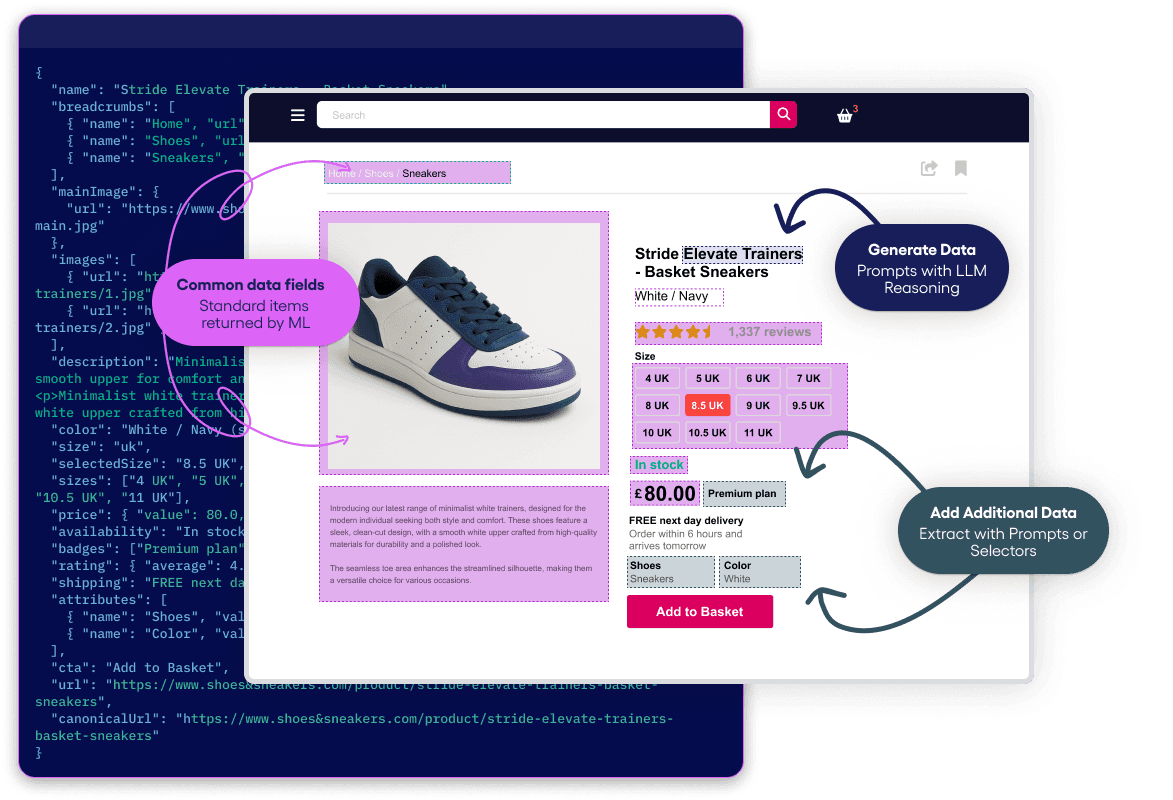
If you haven’t heard about Zyte Automatic Extraction (formerly AutoExtract) yet, it’s an AI-based web scraping tool that automatically extracts data from web pages without the need to write any code.

Learn more about Zyte Automatic Extraction here.

Installation

This project uses Python 3.6+ and pip. A virtual environment is strongly encouraged.

Configuration

Enable middleware

Plain text

Copy to clipboard

Open code in new window

EnlighterJS 3 Syntax Highlighter

DOWNLOADER_MIDDLEWARES = {

'scrapy_autoextract.AutoExtractMiddleware': 543, }

DOWNLOADER_MIDDLEWARES = { 'scrapy_autoextract.AutoExtractMiddleware': 543, }

This middleware should be the last one to be executed so make sure to give it the highest value.

Zyte Automatic Extraction settings

Mandatory

These settings must be defined in order for Zyte Automatic Extraction to work.

  • AUTOEXTRACT_USER: your Zyte Automatic Extraction API key
  • AUTOEXTRACT_PAGE_TYPE: the kind of data to be extracted (current options: "product" or "article")

Optional

  • AUTOEXTRACT_URL: Zyte Automatic Extraction service URL (default: autoextract.scrapinghub.com)
  • AUTOEXTRACT_TIMEOUT: response timeout from Zyte Automatic Extraction API (default: 660 seconds)

Spider

Zyte Automatic Extraction requests are opt-in and they must be enabled for each request, by adding:

Plain text

Copy to clipboard

Open code in new window

EnlighterJS 3 Syntax Highlighter

meta['autoextract'] = {'enabled': True}

meta['autoextract'] = {'enabled': True}

If the request was sent to Zyte Automatic Extraction, inside your Scrapy spider you can access the result through the meta attribute:

Plain text

Copy to clipboard

Open code in new window

EnlighterJS 3 Syntax Highlighter

def parse(self, response):

yield response.meta['autoextract']

def parse(self, response): yield response.meta['autoextract']

Example

In the Scrapy settings file:

Plain text

Copy to clipboard

Open code in new window

EnlighterJS 3 Syntax Highlighter

DOWNLOADER_MIDDLEWARES = { 'scrapy_autoextract.AutoExtractMiddleware': 543, } # Disable AutoThrottle middleware AUTHTHROTTLE_ENABLED = False AUTOEXTRACT_USER = 'my_autoextract_apikey' AUTOEXTRACT_PAGE_TYPE = 'article'

DOWNLOADER_MIDDLEWARES = { 'scrapy_autoextract.AutoExtractMiddleware': 543, } # Disable AutoThrottle middleware AUTHTHROTTLE_ENABLED = False AUTOEXTRACT_USER = 'my_autoextract_apikey' AUTOEXTRACT_PAGE_TYPE = 'article'

In the spider:

Plain text

Copy to clipboard

Open code in new window

EnlighterJS 3 Syntax Highlighter

class ExampleSpider(Spider):

name = 'example'

start_urls = ['example.com']

def start_requests(self):

yield scrapy.Request(url, meta={'autoextract': {'enabled': True}}, callback=self.parse)

def parse(self, response):

yield response.meta['autoextract']

class ExampleSpider(Spider): name = 'example' start_urls = ['example.com'] def start_requests(self): yield scrapy.Request(url, meta={'autoextract': {'enabled': True}}, callback=self.parse) def parse(self, response): yield response.meta['autoextract']

Example output:

Plain text

Copy to clipboard

Open code in new window

EnlighterJS 3 Syntax Highlighter

[{

"query":{

"domain":"example.com",

"userQuery":{

"url":"https://www.example.com/news/2019/oct/15/lorem-dolor-sit",

"pageType":"article"

},

"id":"1570771884892-800e44fc7cf49259"

},

"article":{

"articleBody":"Lorem ipsum dolor sit amet, consectetur adipiscing elit, sed do eiusmod tempor incididunt ut labore et dolore magna aliqua. Ut enim ad minim veniam, quis nostrud exercitation ullamco laboris nisi ut aliquip ex ea commodo consequat...",

"description":"Duis aute irure dolor in reprehenderit in voluptate velit esse cillum dolore eu fugiat nulla pariatu",

"probability":0.9717171744215637,

"inLanguage":"en",

"headline":"'Lorem Ipsum Dolor Sit Amet",

"author":"Attila Toth",

"articleBodyHtml":"

nn

Lorem ipsum...",

"images":["https://i.example.com/img/media/12a71d2200e99f9fff125972b88ff395f5e...",\],

"mainImage":"https://i.example.com/img/media/12a71d2200e99f9fff125972b88ff395f5e..."}

}]

[{ "query":{ "domain":"example.com", "userQuery":{ "url":"https://www.example.com/news/2019/oct/15/lorem-dolor-sit", "pageType":"article" }, "id":"1570771884892-800e44fc7cf49259" }, "article":{ "articleBody":"Lorem ipsum dolor sit amet, consectetur adipiscing elit, sed do eiusmod tempor incididunt ut labore et dolore magna aliqua. Ut enim ad minim veniam, quis nostrud exercitation ullamco laboris nisi ut aliquip ex ea commodo consequat...", "description":"Duis aute irure dolor in reprehenderit in voluptate velit esse cillum dolore eu fugiat nulla pariatu", "probability":0.9717171744215637, "inLanguage":"en", "headline":"'Lorem Ipsum Dolor Sit Amet", "author":"Attila Toth", "articleBodyHtml":"

nn

Lorem ipsum...", "images":["https://i.example.com/img/media/12a71d2200e99f9fff125972b88ff395f5e...",\], "mainImage":"https://i.example.com/img/media/12a71d2200e99f9fff125972b88ff395f5e..."} }]

Limitations

  • The incoming spider request is rendered by Zyte Automatic Extraction, not just downloaded by Scrapy, which can change the result - the IP is different, headers are different, etc.
  • Only GET requests are supported
  • Custom headers and cookies are not supported (i.e. Scrapy features to set them don't work)
  • Proxies are not supported (they would work incorrectly, sitting between Scrapy and Zyte Automatic Extraction, instead of Zyte Automatic Extraction and website)
  • AutoThrottle extension can work incorrectly for Zyte Automatic Extraction requests because timing can be much larger than the time required to download a page, so it's best to use AUTOTHROTTLE_ENABLED=False in the settings.
  • Redirects are handled by Zyte Automatic Extraction, not by Scrapy, so these kinds of middlewares might have no effect
  • Retries should be disabled because Zyte Automatic Extraction handles them internally (use RETRY_ENABLED=False in the settings) There is an exception if there are too many requests sent in a short amount of time and Zyte Automatic Extraction API returns HTTP code 429. For that case, it's best to use RETRY_HTTP_CODES=[429].

Check out the middleware on Github or learn more about Zyte Automatic Extraction (formerly AutoExtract)!

automatic extraction

Zyte Automatic Extraction Intro

Try Zyte API

Build your first scraper in minutes

Free trial, no credit card. From a single request to production in an afternoon.

Get started
How To
A

Attila Toth

More from this author

In this article

  • Installation
  • Configuration
  • Enable middleware
  • Zyte Automatic Extraction settings
  • Mandatory
  • Spider
  • Example
  • Limitations
  • Zyte Automatic Extraction Intro

Follow

Get the latest

Zyte and the data web in your inbox — or wherever you already are.

Subscribe

Or follow elsewhere

Continue reading

Teaching AI to scrape like a pro: how we measure LLMs’ data quality
How To

Teaching AI to scrape like a pro: how we measure LLMs’ data quality

AI-enabled code editors can now conjure scraping code on command. But is it any good? Here’s how Zyte re-engineered LLMs with Web Scraping Copilot to drive best-in-class output.

Theresia Tanzil·10 min·February 23, 2026
Analyze web data quickly with Jupyter Notebooks and Zyte API
How To

Analyze web data quickly with Jupyter Notebooks and Zyte API

With AI Scraping in Zyte API, you can pull data from any e-commerce website straight into your Jupyter notebooks.

Neha Setia Nagpal·2 mins·December 13, 2024
Overcoming web scraping challenges of Puppeteer and Playwright
How To

Overcoming web scraping challenges of Puppeteer and Playwright

Discover the challenges of scaling web scraping with Playwright & Puppeteer, from browser farm management to IP rotation and anti-scraping tactics.

Neha Setia Nagpal·1 mins·December 5, 2024

The Community · Newsletter

The best of Zyte and the data web, in your inbox.

One curated edition — new articles, product updates, and the stories shaping the data web. No noise.

G2.com

Capterra.com

Proxyway.com

EWDCI logoMost loved workplace certificateZyte rewardISO 27001 iconG2 rewardG2 rewardG2 reward

© Zyte Group Limited 2026
1$ pip install git+https://github.com/scrapinghub/scrapy-autoextract
Copy
1DOWNLOADER\_MIDDLEWARES = {
2 'scrapy\_autoextract.AutoExtractMiddleware': 543, }
Copy
1meta\['autoextract'\] = {'enabled': True}
Copy
1def parse(self, response):
2 yield response.meta\['autoextract'\]
Copy
1DOWNLOADER\_MIDDLEWARES = { 'scrapy\_autoextract.AutoExtractMiddleware': 543, } # Disable AutoThrottle middleware AUTHTHROTTLE\_ENABLED = False AUTOEXTRACT\_USER = 'my\_autoextract\_apikey' AUTOEXTRACT\_PAGE\_TYPE = 'article'
Copy
1class ExampleSpider(Spider):
2 name = 'example'
3 start\_urls = \['example.com'\]
4
5 def start\_requests(self):
6 yield scrapy.Request(url, meta={'autoextract': {'enabled': True}}, callback=self.parse)
7 def parse(self, response):
8 yield response.meta\['autoextract'\]
Copy
1\[{
2 "query":{
3 "domain":"example.com",
4 "userQuery":{
5 "url":"https://www.example.com/news/2019/oct/15/lorem-dolor-sit",
6 "pageType":"article"
7 },
8 "id":"1570771884892-800e44fc7cf49259"
9 },
10 "article":{
11 "articleBody":"Lorem ipsum dolor sit amet, consectetur adipiscing elit, sed do eiusmod tempor incididunt ut labore et dolore magna aliqua. Ut enim ad minim veniam, quis nostrud exercitation ullamco laboris nisi ut aliquip ex ea commodo consequat...",
12 "description":"Duis aute irure dolor in reprehenderit in voluptate velit esse cillum dolore eu fugiat nulla pariatu",
13 "probability":0.9717171744215637,
14 "inLanguage":"en",
15 "headline":"'Lorem Ipsum Dolor Sit Amet",
16 "author":"Attila Toth",
17 "articleBodyHtml":"<article>nn<p>Lorem ipsum...",
18 "images":\["https://i.example.com/img/media/12a71d2200e99f9fff125972b88ff395f5e...",\],
19 "mainImage":"https://i.example.com/img/media/12a71d2200e99f9fff125972b88ff395f5e..."}
20}\]
Copy