Meet Spidermon: Zyte's battle-tested spider monitoring library [now open-sourced]
Your spider is developed and we are getting our structured data daily, so our job is done, right?
Absolutely not! Website changes (sometimes very subtly), anti-bot countermeasures, and temporary problems often reduce the quality and reliability of our data.
Most of these problems are not under our control, so we need to actively monitor the execution of our spiders. Although manually monitoring a dozen spiders is doable, it becomes a huge burden if you have to monitor hundreds of spiders collecting millions of items daily.
Spidermon is Zyte's battle-tested extension for monitoring Scrapy spiders that we’ve now made available as an open-source library. Spidermon makes it easy to validate data, monitor spider statistics, and send notifications to everyone when things don't go well in an easy and extensible way.
Installing
Installing Spidermon is just as straightforward as any other Python library:
Plain text
Copy to clipboard
Open code in new window
EnlighterJS 3 Syntax Highlighter
$ pip install spidermon
$ pip install spidermon
1$ pip install spidermonOnce installed, to use Spidermon in your project, you first need to enable it in the settings.py file:
Plain text
Copy to clipboard
Open code in new window
EnlighterJS 3 Syntax Highlighter
# myscrapyproject/settings.py SPIDERMON_ENABLED = True EXTENSIONS = { "spidermon.contrib.scrapy.extensions.Spidermon": 500, }
# myscrapyproject/settings.py SPIDERMON_ENABLED = True EXTENSIONS = { "spidermon.contrib.scrapy.extensions.Spidermon": 500, }
# myscrapyproject/settings.py SPIDERMON_ENABLED = True EXTENSIONS = { "spidermon.contrib.scrapy.extensions.Spidermon": 500, } # myscrapyproject/settings.py SPIDERMON_ENABLED = True EXTENSIONS = { "spidermon.contrib.scrapy.extensions.Spidermon": 500, }
1\# myscrapyproject/settings.py SPIDERMON\_ENABLED = True EXTENSIONS = { "spidermon.contrib.scrapy.extensions.Spidermon": 500, }
2# myscrapyproject/settings.py SPIDERMON\_ENABLED = True EXTENSIONS = { "spidermon.contrib.scrapy.extensions.Spidermon": 500, }Basic concepts
To start monitoring your spiders with Spidermon the key concepts you need to understand are the Monitor and the MonitorSuite.
A Monitor is similar to a Test Case. In fact, it inherits from unittest. TestCase, so you can use all existing unittest assertions inside your monitors. Each Monitor contains a set of test methods that will ensure the correct execution of your spider.
A MonitorSuite groups a set of Monitor classes to be executed at specific times of your spider's execution. It also defines the actions (e.g., e-mail notifications, reports generation, etc) that will be performed after all monitors are executed.
A MonitorSuite can be executed when your spider starts when it finishes or periodically while the spider is running. For each MonitorSuite you also can specify a list of actions that may be performed if all monitors pass without errors if some monitors fail or always.
For example, if you want to monitor whether your spider extracted at least 10 items, then you would define a monitor as follows:
Plain text
Copy to clipboard
Open code in new window
EnlighterJS 3 Syntax Highlighter
# myscrapyproject/monitors.py from spidermon import Monitor, MonitorSuite, monitors @monitors.name("Item count") class ItemCountMonitor(Monitor): @monitors.name("Minimum number of items") def test_minimum_number_of_items(self): item_extracted = getattr( self.data.stats, "item_scraped_count", 0) minimum_threshold = 10 msg = "Extracted less than {} items".format( minimum_threshold) self.assertTrue( item_extracted >= minimum_threshold, msg=msg )
# myscrapyproject/monitors.py from spidermon import Monitor, MonitorSuite, monitors @monitors.name("Item count") class ItemCountMonitor(Monitor): @monitors.name("Minimum number of items") def test_minimum_number_of_items(self): item_extracted = getattr( self.data.stats, "item_scraped_count", 0) minimum_threshold = 10 msg = "Extracted less than {} items".format( minimum_threshold) self.assertTrue( item_extracted >= minimum_threshold, msg=msg )
1\# myscrapyproject/monitors.py from spidermon import Monitor, MonitorSuite, monitors @monitors.name("Item count") class ItemCountMonitor(Monitor): @monitors.name("Minimum number of items") def test\_minimum\_number\_of\_items(self): item\_extracted = getattr( self.data.stats, "item\_scraped\_count", 0) minimum\_threshold = 10 msg = "Extracted less than {} items".format( minimum\_threshold) self.assertTrue( item\_extracted >= minimum\_threshold, msg=msg )Monitors need to be included in a MonitorSuite to be executed:
Plain text
Copy to clipboard
Open code in new window
EnlighterJS 3 Syntax Highlighter
# myscrapyproject/monitors.py # (...my monitors code...) class SpiderCloseMonitorSuite(MonitorSuite): monitors = [ ItemCountMonitor, ]
# myscrapyproject/monitors.py # (...my monitors code...) class SpiderCloseMonitorSuite(MonitorSuite): monitors = [ ItemCountMonitor, ]
1\# myscrapyproject/monitors.py # (...my monitors code...) class SpiderCloseMonitorSuite(MonitorSuite): monitors = \[ ItemCountMonitor, \]Include the previously defined monitor suite in project settings, and every time the spider closes, it will execute the monitor.
Plain text
Copy to clipboard
Open code in new window
EnlighterJS 3 Syntax Highlighter
# myscrapyproject/settings.py SPIDERMON_SPIDER_CLOSE_MONITORS = ( "myscrapyproject.monitors.SpiderCloseMonitorSuite", )
# myscrapyproject/settings.py SPIDERMON_SPIDER_CLOSE_MONITORS = ( "myscrapyproject.monitors.SpiderCloseMonitorSuite", )
1\# myscrapyproject/settings.py SPIDERMON\_SPIDER\_CLOSE\_MONITORS = ( "myscrapyproject.monitors.SpiderCloseMonitorSuite", )After executing the spider, spidermon will present the following information in your logs:
Plain text
Copy to clipboard
Open code in new window
EnlighterJS 3 Syntax Highlighter
$ scrapy crawl myspider (...) INFO: [Spidermon] -------------------- MONITORS -------------------- INFO: [Spidermon] Item count/Minimum number of items... OK INFO: [Spidermon] -------------------------------------------------- INFO: [Spidermon] 1 monitor in 0.001s INFO: [Spidermon] OK INFO: [Spidermon] ---------------- FINISHED ACTIONS ---------------- INFO: [Spidermon] -------------------------------------------------- INFO: [Spidermon] 0 actions in 0.000s INFO: [Spidermon] OK INFO: [Spidermon] ----------------- PASSED ACTIONS ----------------- INFO: [Spidermon] -------------------------------------------------- INFO: [Spidermon] 0 actions in 0.000s INFO: [Spidermon] OK INFO: [Spidermon] ----------------- FAILED ACTIONS ----------------- INFO: [Spidermon] -------------------------------------------------- INFO: [Spidermon] 0 actions in 0.000s INFO: [Spidermon] OK [scrapy.statscollectors] INFO: Dumping Scrapy stats: (...)
$ scrapy crawl myspider (...) INFO: [Spidermon] -------------------- MONITORS -------------------- INFO: [Spidermon] Item count/Minimum number of items... OK INFO: [Spidermon] -------------------------------------------------- INFO: [Spidermon] 1 monitor in 0.001s INFO: [Spidermon] OK INFO: [Spidermon] ---------------- FINISHED ACTIONS ---------------- INFO: [Spidermon] -------------------------------------------------- INFO: [Spidermon] 0 actions in 0.000s INFO: [Spidermon] OK INFO: [Spidermon] ----------------- PASSED ACTIONS ----------------- INFO: [Spidermon] -------------------------------------------------- INFO: [Spidermon] 0 actions in 0.000s INFO: [Spidermon] OK INFO: [Spidermon] ----------------- FAILED ACTIONS ----------------- INFO: [Spidermon] -------------------------------------------------- INFO: [Spidermon] 0 actions in 0.000s INFO: [Spidermon] OK [scrapy.statscollectors] INFO: Dumping Scrapy stats: (...)
1$ scrapy crawl myspider (...) INFO: \[Spidermon\] -------------------- MONITORS -------------------- INFO: \[Spidermon\] Item count/Minimum number of items... OK INFO: \[Spidermon\] -------------------------------------------------- INFO: \[Spidermon\] 1 monitor in 0.001s INFO: \[Spidermon\] OK INFO: \[Spidermon\] ---------------- FINISHED ACTIONS ---------------- INFO: \[Spidermon\] -------------------------------------------------- INFO: \[Spidermon\] 0 actions in 0.000s INFO: \[Spidermon\] OK INFO: \[Spidermon\] ----------------- PASSED ACTIONS ----------------- INFO: \[Spidermon\] -------------------------------------------------- INFO: \[Spidermon\] 0 actions in 0.000s INFO: \[Spidermon\] OK INFO: \[Spidermon\] ----------------- FAILED ACTIONS ----------------- INFO: \[Spidermon\] -------------------------------------------------- INFO: \[Spidermon\] 0 actions in 0.000s INFO: \[Spidermon\] OK \[scrapy.statscollectors\] INFO: Dumping Scrapy stats: (...)If the condition specified in your monitor fails, then spidermon will output this information in the logs:
Plain text
Copy to clipboard
Open code in new window
EnlighterJS 3 Syntax Highlighter
$ scrapy crawl myspider (...) INFO: [Spidermon] -------------------- MONITORS -------------------- INFO: [Spidermon] Item count/Minimum number of items... FAIL INFO: [Spidermon] -------------------------------------------------- ERROR: [Spidermon] ==================================================================== FAIL: Item count/Minimum number of items -------------------------------------------------------------------- Traceback (most recent call last): File "/myscrapyproject/monitors.py", line 17, in test_minimum_number_of_items item_extracted >= minimum_threshold, msg=msg AssertionError: False is not true : Extracted less than 10 items INFO: [Spidermon] 1 monitor in 0.001s INFO: [Spidermon] FAILED (failures=1) INFO: [Spidermon] ---------------- FINISHED ACTIONS ---------------- INFO: [Spidermon] -------------------------------------------------- INFO: [Spidermon] 0 actions in 0.000s INFO: [Spidermon] OK INFO: [Spidermon] ----------------- PASSED ACTIONS ----------------- INFO: [Spidermon] -------------------------------------------------- INFO: [Spidermon] 0 actions in 0.000s INFO: [Spidermon] OK INFO: [Spidermon] ----------------- FAILED ACTIONS ----------------- INFO: [Spidermon] -------------------------------------------------- INFO: [Spidermon] 0 actions in 0.000s INFO: [Spidermon] OK (...)
$ scrapy crawl myspider (...) INFO: [Spidermon] -------------------- MONITORS -------------------- INFO: [Spidermon] Item count/Minimum number of items... FAIL INFO: [Spidermon] -------------------------------------------------- ERROR: [Spidermon] ==================================================================== FAIL: Item count/Minimum number of items -------------------------------------------------------------------- Traceback (most recent call last): File "/myscrapyproject/monitors.py", line 17, in test_minimum_number_of_items item_extracted >= minimum_threshold, msg=msg AssertionError: False is not true : Extracted less than 10 items INFO: [Spidermon] 1 monitor in 0.001s INFO: [Spidermon] FAILED (failures=1) INFO: [Spidermon] ---------------- FINISHED ACTIONS ---------------- INFO: [Spidermon] -------------------------------------------------- INFO: [Spidermon] 0 actions in 0.000s INFO: [Spidermon] OK INFO: [Spidermon] ----------------- PASSED ACTIONS ----------------- INFO: [Spidermon] -------------------------------------------------- INFO: [Spidermon] 0 actions in 0.000s INFO: [Spidermon] OK INFO: [Spidermon] ----------------- FAILED ACTIONS ----------------- INFO: [Spidermon] -------------------------------------------------- INFO: [Spidermon] 0 actions in 0.000s INFO: [Spidermon] OK (...)
1$ scrapy crawl myspider (...) INFO: \[Spidermon\] -------------------- MONITORS -------------------- INFO: \[Spidermon\] Item count/Minimum number of items... FAIL INFO: \[Spidermon\] -------------------------------------------------- ERROR: \[Spidermon\] ==================================================================== FAIL: Item count/Minimum number of items -------------------------------------------------------------------- Traceback (most recent call last): File "/myscrapyproject/monitors.py", line 17, in test\_minimum\_number\_of\_items item\_extracted >= minimum\_threshold, msg=msg AssertionError: False is not true : Extracted less than 10 items INFO: \[Spidermon\] 1 monitor in 0.001s INFO: \[Spidermon\] FAILED (failures=1) INFO: \[Spidermon\] ---------------- FINISHED ACTIONS ---------------- INFO: \[Spidermon\] -------------------------------------------------- INFO: \[Spidermon\] 0 actions in 0.000s INFO: \[Spidermon\] OK INFO: \[Spidermon\] ----------------- PASSED ACTIONS ----------------- INFO: \[Spidermon\] -------------------------------------------------- INFO: \[Spidermon\] 0 actions in 0.000s INFO: \[Spidermon\] OK INFO: \[Spidermon\] ----------------- FAILED ACTIONS ----------------- INFO: \[Spidermon\] -------------------------------------------------- INFO: \[Spidermon\] 0 actions in 0.000s INFO: \[Spidermon\] OK (...)This sample monitor should work with any spider that returns items, so you can test it with your own spider.
Data validation
A useful feature of Spidermon is its ability to verify the content of your extracted items and confirm that they match against a defined data schema. Spidermon allows you to do this using two different libraries (you can choose which one fits better in your project): JSON Schema and schematics.
With the JSON Schema, you can define required fields, field types, expressions to validate the values included in the item, and much more.
Schematics is a validation library based on ORM-like models. You can define Python classes using its built-in data types and validators, but they can be easily extended.
To enable item validation, simply enable the built-in item pipeline in your project:
Plain text
Copy to clipboard
Open code in new window
EnlighterJS 3 Syntax Highlighter
# myscrapyproject/settings.py ITEM_PIPELINES = { "spidermon.contrib.scrapy.pipelines.ItemValidationPipeline": 800, }
# myscrapyproject/settings.py ITEM_PIPELINES = { "spidermon.contrib.scrapy.pipelines.ItemValidationPipeline": 800, }
1\# myscrapyproject/settings.py ITEM\_PIPELINES = { "spidermon.contrib.scrapy.pipelines.ItemValidationPipeline": 800, }A JSON Schema looks like this:
Plain text
Copy to clipboard
Open code in new window
EnlighterJS 3 Syntax Highlighter
{ "$schema": "http://json-schema.org/draft-07/schema", "type": "object", "properties": { "quote": { "type": "string" }, "author": { "type": "string" }, "author_url": { "type": "string", "pattern": "" }, "tags": { "type" } }, "required": [ "quote", "author", "author_url" ] }
{ "$schema": "http://json-schema.org/draft-07/schema", "type": "object", "properties": { "quote": { "type": "string" }, "author": { "type": "string" }, "author_url": { "type": "string", "pattern": "" }, "tags": { "type" } }, "required": [ "quote", "author", "author_url" ] }
1{ "$schema": "http://json-schema.org/draft-07/schema", "type": "object", "properties": { "quote": { "type": "string" }, "author": { "type": "string" }, "author\_url": { "type": "string", "pattern": "" }, "tags": { "type" } }, "required": \[ "quote", "author", "author\_url" \] }This schema is equivalent to the schematics model shown in the Spidermon getting started tutorial. An item will be validated as correct if the required fields 'quote', 'author', and 'author_url' are filled with valid string content.
To activate a data schema, simply define the schema in a JSON file and include it in your project settings. From there Spidermon will be able to use it during your spider execution and validate it:
Plain text
Copy to clipboard
Open code in new window
EnlighterJS 3 Syntax Highlighter
# myscrapyproject/settings.py SPIDERMON_VALIDATION_SCHEMAS: [ "/path/to/my/schema.json", ]
# myscrapyproject/settings.py SPIDERMON_VALIDATION_SCHEMAS: [ "/path/to/my/schema.json", ]
1\# myscrapyproject/settings.py SPIDERMON\_VALIDATION\_SCHEMAS: \[ "/path/to/my/schema.json", \]After that, any item returned in your spider will be validated against this schema.
However, it is important to note that item validation failures will not appear automatically in monitor results. These results will be added to the spider stats, so you will need to create your own monitor to verify the results according to your own rules.
For example, this monitor will only pass if no items have validation errors:
Plain text
Copy to clipboard
Open code in new window
EnlighterJS 3 Syntax Highlighter
# myscrapyproject/monitors.py @monitors.name("Item validation") class ItemValidationMonitor(Monitor, StatsMonitorMixin): @monitors.name("No item validation errors") def test_no_item_validation_errors(self): validation_errors = getattr( self.data.stats, "spidermon/validation/fields/errors", 0 ) self.assertEqual( validation_errors, 0, msg="Found validation errors in {} fields".format(validation_errors), )
# myscrapyproject/monitors.py @monitors.name("Item validation") class ItemValidationMonitor(Monitor, StatsMonitorMixin): @monitors.name("No item validation errors") def test_no_item_validation_errors(self): validation_errors = getattr( self.data.stats, "spidermon/validation/fields/errors", 0 ) self.assertEqual( validation_errors, 0, msg="Found validation errors in {} fields".format(validation_errors), )
1\# myscrapyproject/monitors.py @monitors.name("Item validation") class ItemValidationMonitor(Monitor, StatsMonitorMixin): @monitors.name("No item validation errors") def test\_no\_item\_validation\_errors(self): validation\_errors = getattr( self.data.stats, "spidermon/validation/fields/errors", 0 ) self.assertEqual( validation\_errors, 0, msg="Found validation errors in {} fields".format(validation\_errors), )Actions
When something goes wrong with our spiders, we want to be notified (e.g., by e-mail, on Slack, etc) so we can take corrective actions to solve the problem. To accomplish this, Spidermon has the concept of actions, that are executed according to the results of your spider execution.
Spidermon contains a set of built-in actions that makes it easy to be notified in different channels like e-mail (through Amazon SES), Slack, reports, and Sentry. However, you can also specify your own custom actions so you can design your own notifications to suit your specific project requirements.
Creating a custom action is straightforward. First, you declare a class inheriting from spidermon.core.actions. then implement your business logic inside _run_action_ method:
Plain text
Copy to clipboard
Open code in new window
EnlighterJS 3 Syntax Highlighter
# myscrapyproject/actions.py from spidermon.core.actions import Action class MyCustomAction(Action): def run_action(self): # Include here the logic of your action
# myscrapyproject/actions.py from spidermon.core.actions import Action class MyCustomAction(Action): def run_action(self): # Include here the logic of your action
1\# myscrapyproject/actions.py from spidermon.core.actions import Action class MyCustomAction(Action): def run\_action(self): # Include here the logic of your actionTo enable an action, you need to include it inside a MonitorSuite:
Plain text
Copy to clipboard
Open code in new window
EnlighterJS 3 Syntax Highlighter
# myscrapyproject/actions.py from spidermon.core.actions import Action class MyCustomAction(Action): def run_action(self): # Include here the logic of your action
# myscrapyproject/actions.py from spidermon.core.actions import Action class MyCustomAction(Action): def run_action(self): # Include here the logic of your action
1\# myscrapyproject/actions.py from spidermon.core.actions import Action class MyCustomAction(Action): def run\_action(self): # Include here the logic of your actionSpidermon has some built-in actions for common cases which will require a few settings to be added to your project. You can see which ones are available in the Spidermon documentation.
Want to learn more?
Spidermon’s complete documentation can be found here. See also the “getting started” section where we present an entire sample project using Spidermon.
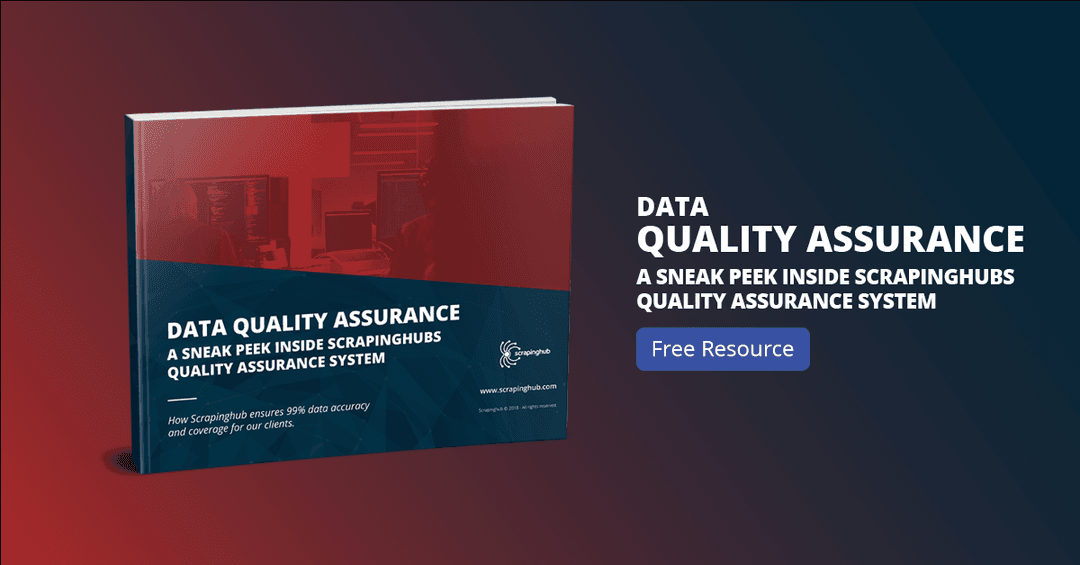
If you would like to take a deeper look at how Spidermon fits into Zyte’s data quality assurance process, the exact data validation tests we conduct, and how you can build your own quality system, then be sure to check our whitepaper: Data Quality Assurance: A Sneak Peek Inside Zyte's Quality Assurance System.
Your data extraction needs
At Zyte we specialize in turning unstructured web data into structured data. If you have a need to start or scale your web scraping projects then our Solution architecture team is available for a free consultation, where we will evaluate and develop the architecture for a data extraction solution to meet your data and compliance requirements.
At Zyte we always love to hear what our readers think of our content and would be more than interested in any questions you may have. So please, leave a comment below with your thoughts and perhaps consider sharing what you are working on right now!