Summarize at:
cURL stands for "Client URL", it is an open-source command-line tool that allows users to transfer data to or from a web server using various network protocols such as HTTP, HTTPS, FTP, and more. By providing a command line interface, it enables users to collect data from websites with ease. It is widely used for tasks such as API interaction and remote file downloading or uploading.
It was originally developed by Daniel Stenberg in 1997 and has become popular due to its simplicity, flexibility, and extensive range of options for handling data requests and responses. Users can customize and fine-tune commands to manage different types of data transfers, making it a versatile and powerful tool for transferring data between various applications.
In this blog post, we will cover basic and advanced features of cURL for web scraping tasks. We will also talk about its weaknesses and how a more comprehensive framework, such as Scrapy, is a better choice overall. Our goal is to provide a thorough understanding of cURL's capabilities while highlighting the potential benefits of using Scrapy for your web scraping needs.
Installing and Setting Up cURL command line tool
cURL is available for nearly all operating systems, making it a versatile tool for users across different platforms.
Check if cURL is already installed:
cURL comes pre-installed on many Unix-based operating systems, including macOS and Linux. On latest versions of Windows, cURL is also already installed. To check if you have cURL installed on your operating system, simply open your terminal and type:
-
1curl --versionIf cURL is installed, you will see the version information displayed. If not, follow the steps below to install it.
- macOS: You can install it using the Homebrew package management system. First, install Homebrew if you haven't already by following the instructions on their website (https://brew.sh/). Then, install cURL by running the following command in the terminal:
-
1brew install curl- Linux: For Linux systems, you can install cURL using the package manager for your distribution. For Debian-based systems like Ubuntu, use the following command:
-
1sudo apt-get update && sudo apt-get install curl- Windows: For Windows users, download the appropriate package from the cURL official website (https://curl.se/windows/). After downloading the package, extract the contents to a folder on your system. To make cURL accessible from any command prompt, add the path to the cURL executable (located in the extracted folder) to your system's PATH environment variable.
After installing cURL, check if it is properly set up by running curl --version on a terminal to verify.
Basic cURL Commands data
In this section, we will introduce some basic commands that will help you get started. For a more comprehensive list of options and features, you can refer to the cURL documentation site (https://curl.se/docs/).
Retrieving a Web Page
The most fundamental cURL command involves sending an HTTP GET request to a target URL and displaying the full web page, including its HTML content, which is displayed in your terminal window or command prompt. To achieve this, simply type curl followed by the target URL:
-
1curl https://example.comSaving the Web Page Content to a File
cURL can also be used to download files from a web server. To save the content of a web page to a file instead of displaying it in the terminal, use the -o or --output flag followed by a filename:
-
1curl https://example.com -o output.htmlThis command will save the content of the web page in a file named output.html in your current working directory. If you are dealing with a file, use the -O (or --remote-name) command, it will write the output to a file named as the remote file.
Following Redirects
Some websites use HTTP redirects to send users to a different URL. To make cURL follow redirects automatically, use the -L or --location flag:
-
1curl -L https://example.comCustomizing User-Agent
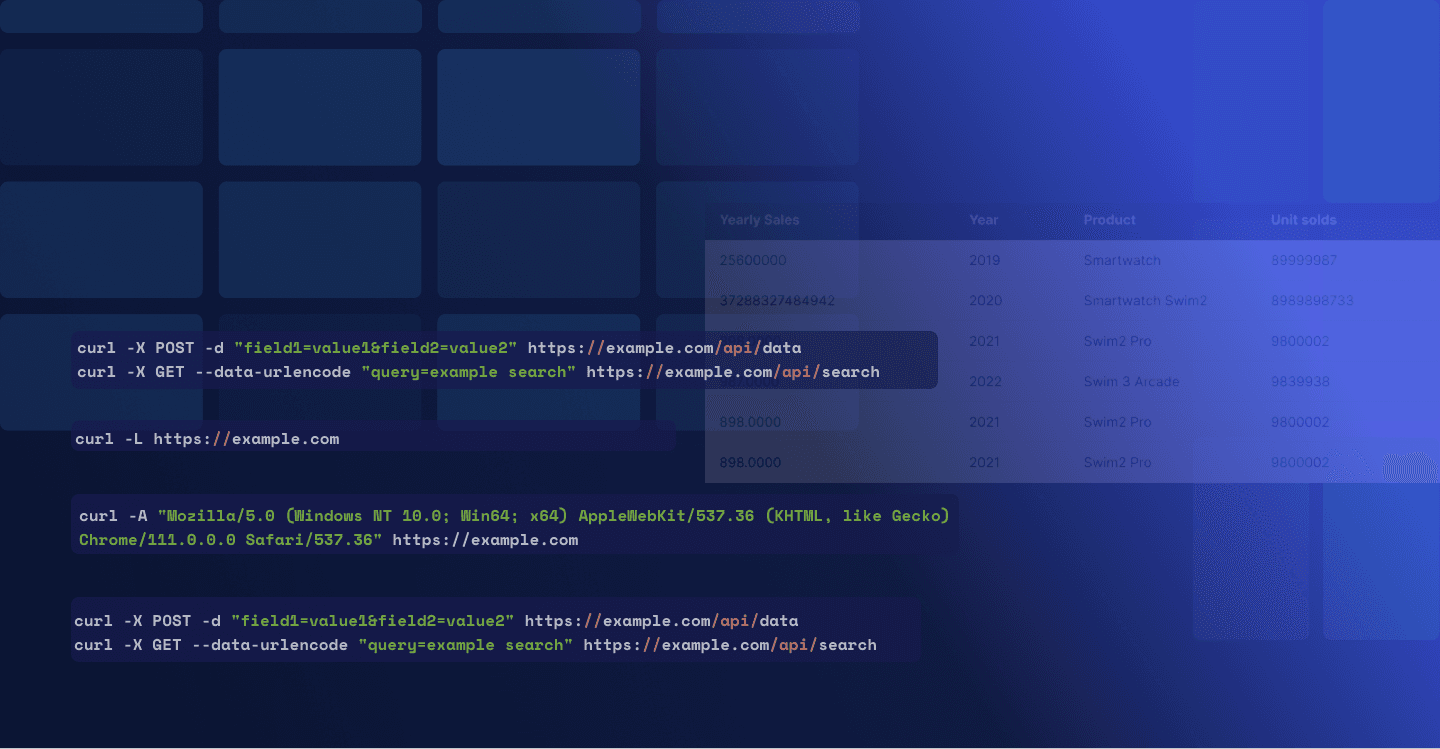
Some websites may block or serve different content based on the user agent of the requesting client. To bypass such restrictions using the command line, you can use the -A or --user-agent flag to specify a custom user-agent string:
-
1curl -A "Mozilla/5.0 (Windows NT 10.0; Win64; x64) AppleWebKit/537.36 (KHTML, like Gecko) Chrome/111.0.0.0 Safari/537.36" https://example.comThese basic cURL commands will help you get started. However, cURL offers many more advanced features and options that can be utilized for more complex tasks. The following sections will guide you through advanced cURL techniques and how to combine cURL with other command-line tools. But first, let's take a moment to explore the components of a URL.
Understanding the Components of a URL
A URL (Uniform Resource Locator) is a structured string that defines the location of a resource on the internet. The URL syntax consists of several components, including:
Scheme: The communication protocol used to access the resource, such as HTTP or HTTPS.
Second-level domain: The name of the website, which is typically followed by a top-level domain like .com or .org.
Subdomain: An optional subdomain that precedes the primary domain, such as "store" instore.steampowered.com/.
Subdirectory: The hierarchical structure that points to a specific resource within a website, such as /articles/web-scraping-guide.
Query String: A series of key-value pairs that can be used to send additional information to the server, typically preceded by a question mark (?). For example, ?search=curl&sort=date.
Fragment Identifier: An optional component that points to a specific section within a web page, usually denoted by a hash symbol (#) followed by the identifier, such as #introduction.
With a clear understanding of URL components, we can now proceed to explore the advanced techniques and tools that can enhance your experience using cURL.
Configuring cURL
As you become more familiar with the very basic syntax, cURL command line, you might encounter situations where advanced configuration is necessary.
Custom Headers
To add custom headers to your request, such as cookies, referer information, or any other header fields, use the -H or --header flag:
-
1curl -H "Cookie: key=value" -H "Referer: https://example.com" https://example.com/pageThis command sends a request with custom Cookie and Referer headers, which can be useful when mimicking http requests for complex browsing scenarios or bypassing certain access restrictions on web servers.
Using proxies
Proxies are essential when web scraping to bypass rate limits, avoid IP blocking, and maintain anonymity. cURL makes it easy to use proxies for your web scraping tasks. To use a proxy with cURL, simply include the -x or --proxy option followed by the proxy address and port. For example:
-
1curl --proxy "http://proxy_address:port" "https://example.com"By incorporating proxies into your cURL commands, you can improve the efficiency and reliability of your web scraping tasks.
HTTP Methods and Sending Data
cURL supports different HTTP methods like GET, POST, PUT, DELETE, and more. To specify a method other than GET, use the -X or --request flag:
-
1curl -X POST https://example.com/api/dataTo send data with your request, use the -d or --data flag for POST requests or the --data-urlencode flag for GET requests:
-
1curl -X POST -d "field1=value1&field2=value2" https://example.com/api/data
2curl -X GET --data-urlencode "query=example search" https://example.com/api/searchHandling Timeouts and Retries
To set a maximum time for the request to complete, use the --max-time flag followed by the number of seconds:
-
1curl --max-time 10 https://example.comIf you want cURL to retry the request in case of a transient error, use the --retry flag followed by the number of retries:
-
1curl --retry 3 https://example.comThese advanced cURL configurations will allow you to use curl to tackle more complex web scraping tasks and handle different scenarios more efficiently.
Choosing the Right Tool: When cURL Falls Short and Scrapy Shines
While cURL is a powerful and versatile tool for basic web scraping tasks, it has its limitations. In some cases, a more advanced and purpose-built tool like Scrapy might be better suited for your web scraping needs. In this section, we will discuss the drawbacks of using cURL and how Scrapy can provide a more comprehensive and efficient solution.
Handling Complex Websites
cURL can encounter difficulties with complex websites that rely heavily on JavaScript or AJAX, although it can be integrated with the Zyte API, our top-tier web scraping API, to deal with most of its drawbacks. This strategic integration aids in avoiding issues that trigger anti-bot systems and IP bans, while also enabling the rendering and interaction with dynamic web pages via dynamic scripting. This vastly simplifies the task to scrape data from modern websites. Nonetheless, Scrapy can also be combined with Zyte API. Besides sharing benefits with cURL, Scrapy stands out with its robust, extendable framework, providing additional advanced features and control, boosting performance and efficiency in the process to scrape data.
Structured Data Extraction
cURL is primarily designed for data transfer, and it lacks native support for parsing and extracting structured data from HTML, XML, or other JSON data. Scrapy provides built-in support for data extraction using CSS selectors or XPath expressions, enabling more precise and efficient data extraction.
Robust Error Handling and Logging
While cURL does offer basic error handling and debugging options, Scrapy provides a more comprehensive framework for handling errors, logging, and debugging, which can be invaluable when developing and maintaining complex web scraping projects.
Scalability and Performance
cURL can struggle with large-scale web scraping tasks, as it lacks the built-in concurrency and throttling features required for efficient and responsible scraping. Scrapy, with its asynchronous architecture and support for parallel requests, rate limiting, and caching, is better suited for large-scale projects and can provide improved performance while adhering to web scraping best practices.
Extensibility and Customization
Scrapy is built on a modular and extensible framework, which makes it easy to add custom functionality like middlewares, pipelines, and extensions to suit your specific needs. This level of customization is not available in cURL, limiting its ability to adapt to complex or unique scenarios.
Conclusion
While cURL is a valuable command-line tool for simple tasks and can be an excellent starting point for those new to web scraping, it might not be the best choice for more advanced or large-scale projects. As we have explored throughout this post, cURL offers various features that make it suitable for basic web scraping needs, but it does fall short in several areas compared to dedicated frameworks like Scrapy.
Ultimately, the choice of web scraping tools depends on your specific requirements, goals, and preferences. Regardless of whether you decide to use Scrapy or any other web scraping frameworks, it's essential to understand that cURL should not be considered a true, comprehensive solution for web scraping, but rather a convenient tool for handling basic tasks. By carefully evaluating your needs and the available tools, you can select the most appropriate solution for your web scraping projects and ensure success in your own data collection and extraction efforts.
Learn from the leading web scraping developers
A discord community of over 3000 web scraping developers and data enthusiasts dedicated to sharing new technologies and advancing in web scraping.