Machine learning with web scraping: New MonkeyLearn addon
Say Hello to the MonkeyLearn Addon
We deal in data. Vast amounts of it. But while we’ve been traditionally involved in providing you with the data that you need, we are now taking it a step further by helping you analyze it as well.
To this end, we’d like to officially announce the MonkeyLearn integration for Scrapy Cloud. This feature will bring machine learning technology to the data that you extract through Scrapy Cloud. We also offer a MonkeyLearn Scrapy Middleware so you can use it on your own platform.

MonkeyLearn is a classifier service that lets you analyze text. It provides machine learning capabilities like categorizing products or sentiment analysis to figure out if a customer review is positive or negative.
You can use MonkeyLearn as an addon for Scrapy Cloud. It only takes a minute to enable and once this is done, your items will flow through a pipeline directly into MonkeyLearn's service. You specify which field you want to analyze, which MonkeyLearn classifier to apply to it, and which field it should output the result to.
Say you were involved in the production of Batman vs Superman and you’re interested in how people reacted to your high budget movie. You could use Scrapy to track mentions of this film across the web and then use MonkeyLearn to perform sentiment analysis on the samples that you collect. But don't get too excited because you might not like the results of your search...

There are so many ways that you can use this addon with our platform, so we’ll be featuring a series of tutorials that will help you make the most out of this partnership.
Getting Started with MonkeyLearn
MonkeyLearn provides public modules that are already ready to go or you can create your own text analysis module by training a custom machine learning model.
For example, using traditional sentiment analysis on comments filled with trolls would return a 100% negative rating. To develop a “Troll Finder” you would need to create a custom model with a higher tolerance for the extreme negativity. You could create categories like "troll", "ubertroll", and "trollmaster" for further categorization. Check out MonkeyLearn’s tutorial to help you through this task.
Before you get started with the MonkeyLearn addon on Scrapy, you first need to sign up for the MonkeyLearn service. They offer a free account, so you don’t need to worry about the cash monies. Once you’ve signed up, you’ll be taken to your dashboard:
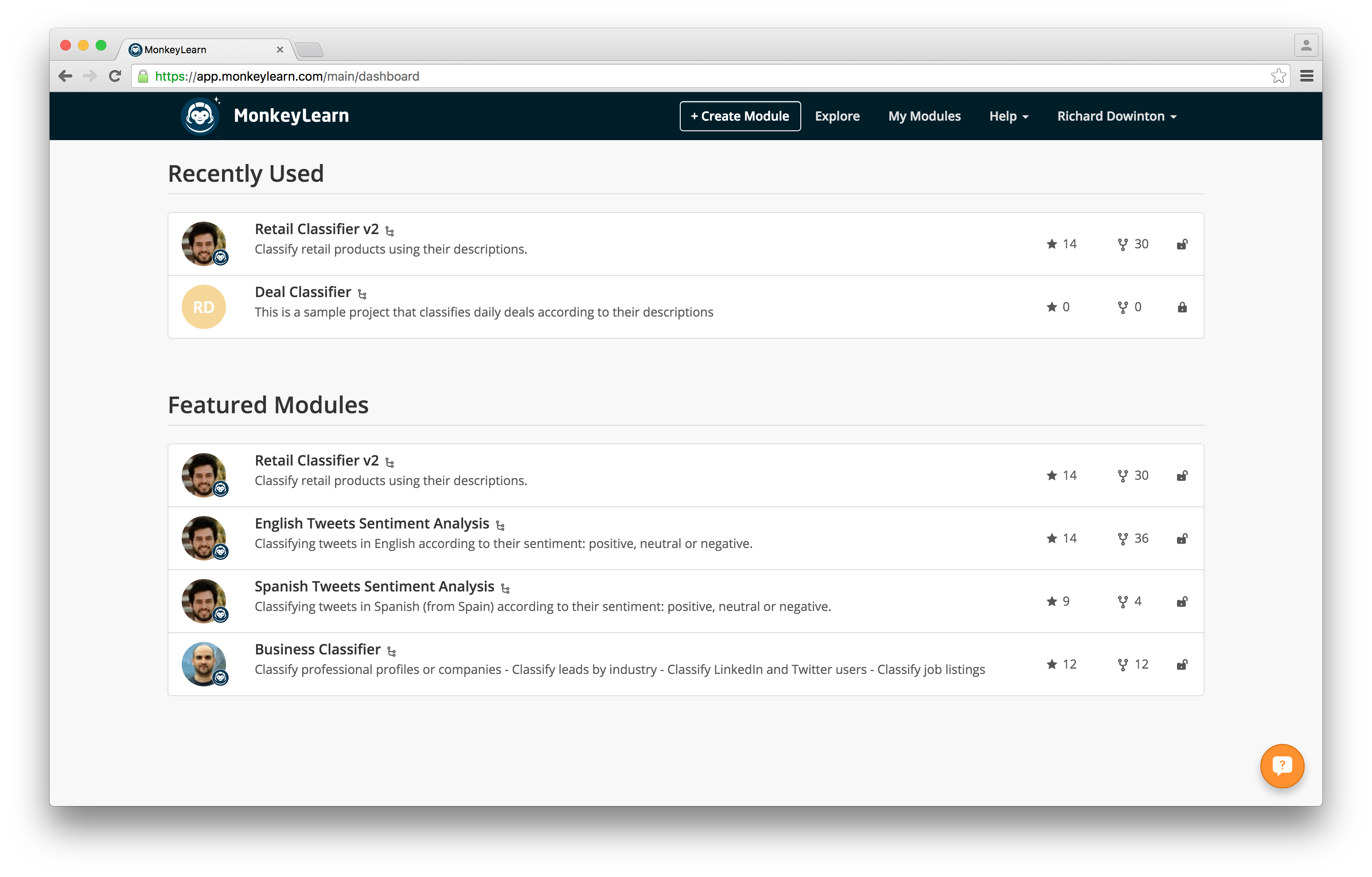
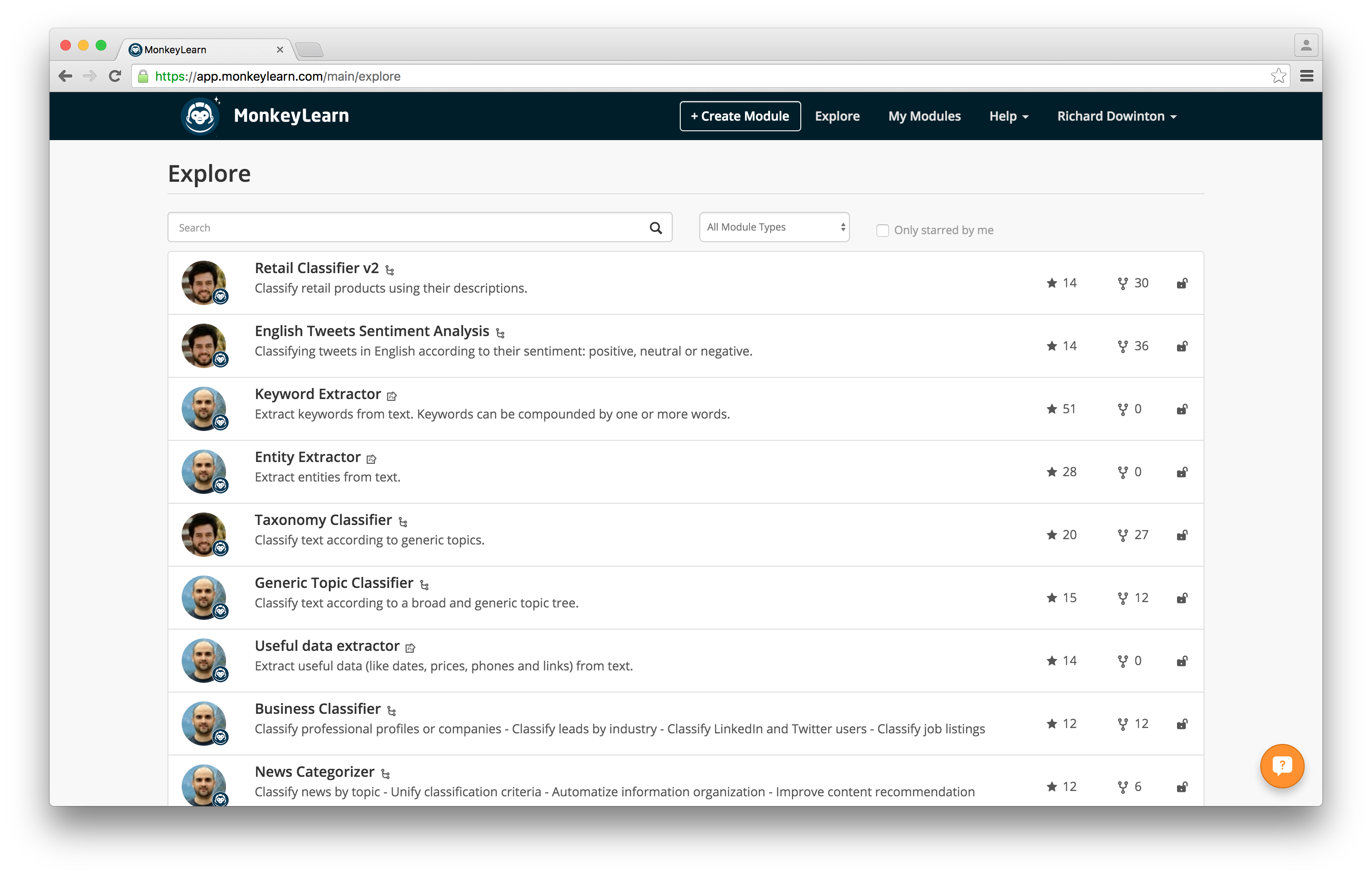
Click the “Explore” option in the top menu to check out the whole range of ready-made classifiers that you can apply to the scraped data. There are a ton of different options to choose from including sentiment analysis for product reviews, language detectors, and extractors for useful data such as phone numbers and addresses.
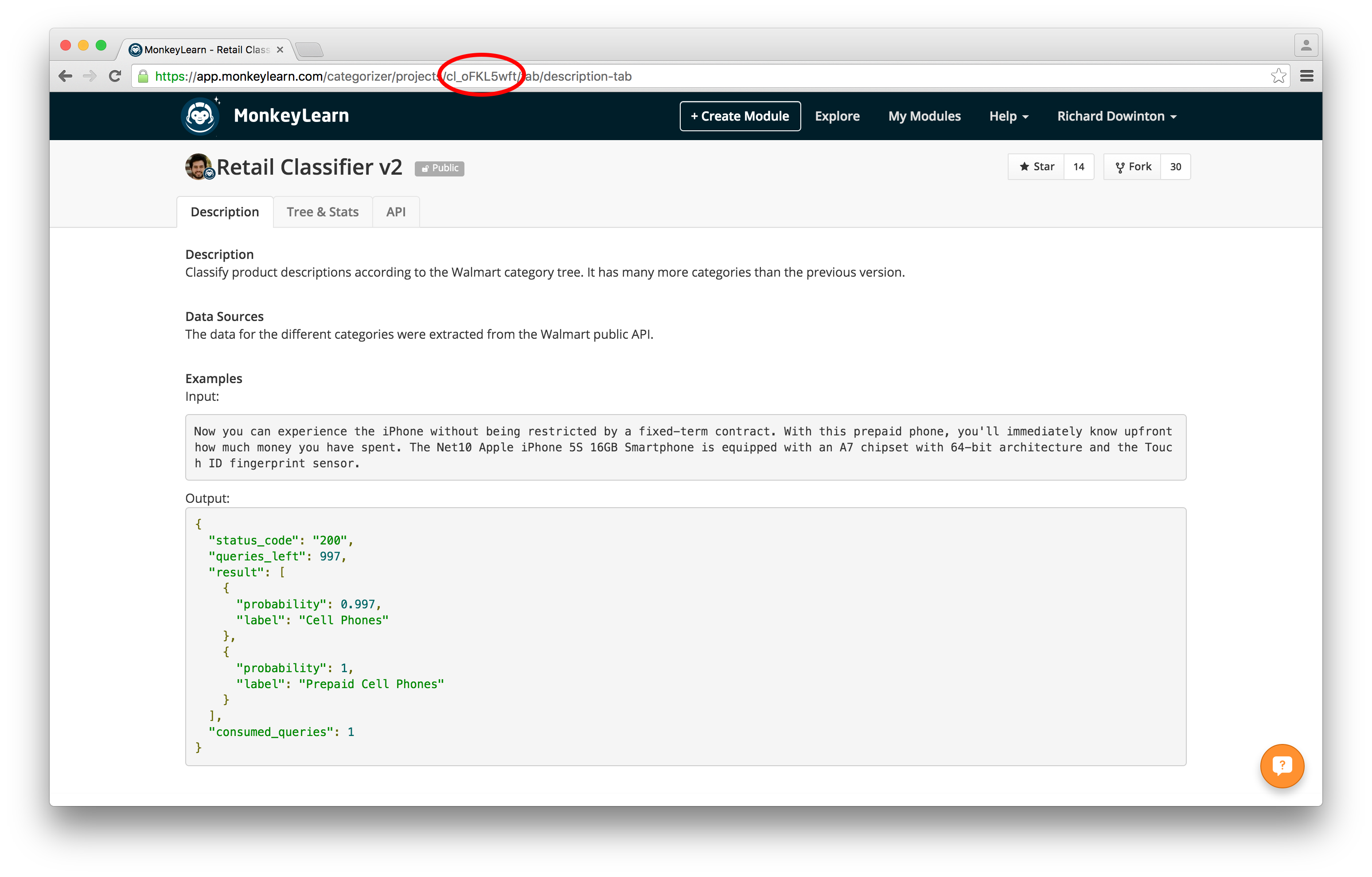
Choose the classifier that you’re interested in and make a note of its ID. You can find the ID in the URL:
And now that you’re all set on the MonkeyLearn side, it’s time to head back over to Scrapy Cloud.
Addon Walkthrough
You can access the MonkeyLearn addon through your dashboard. Navigate to Addons
Setup:
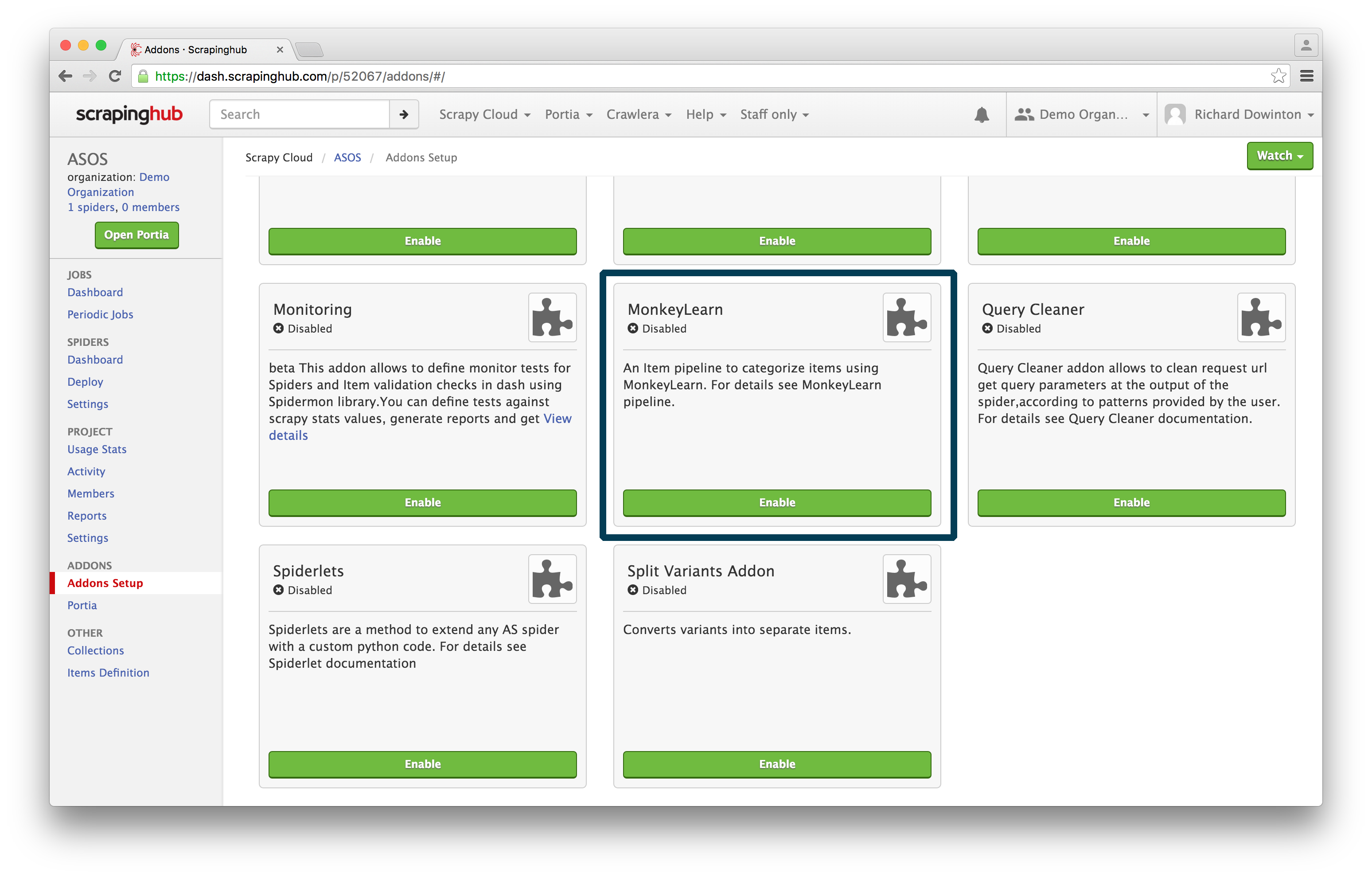
Enable the addon and click Configure:
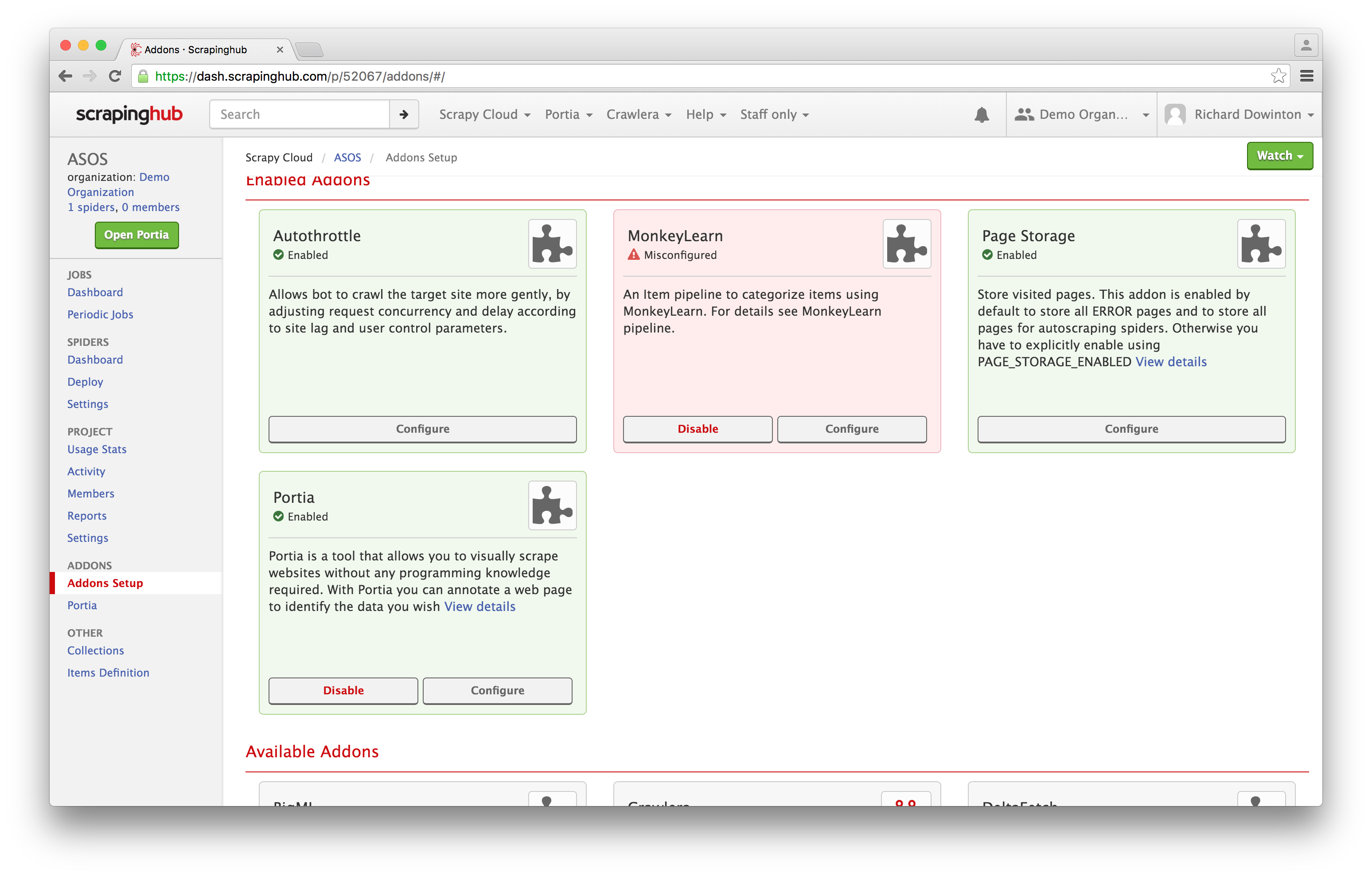
Head down to Settings:
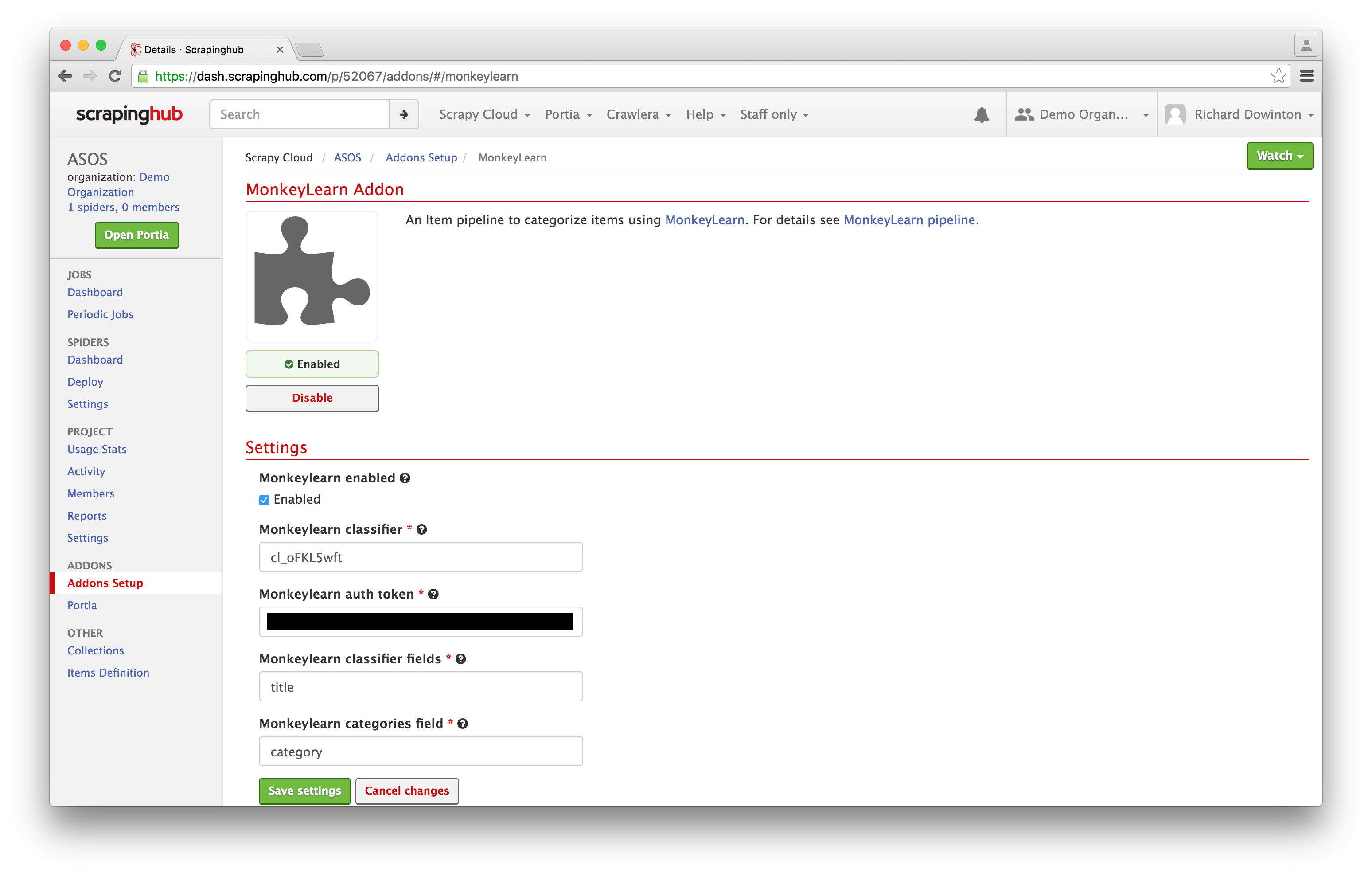
To configure the addon, you need to set your MonkeyLearn API key, specify the classifier you want to use and the field in which you want the result to be stored. You’ll need the classifier ID you chose earlier from the MonkeyLearn platform.
MonkeyLearn reads the content from the classifier fields you've specified, performs the classification task on the data, and returns the result of the classification/analysis in the field that you defined as categories field.
For example, in order to detect the category of a movie based on the title, you would need to add the ID from the module you want to use in the first text box. In the second text box you would list your authorization token and the item field you want to analyze (title, in our case) in the third text box. In the fourth text box you would list the name of the field that is going to store the results from MonkeyLearn.
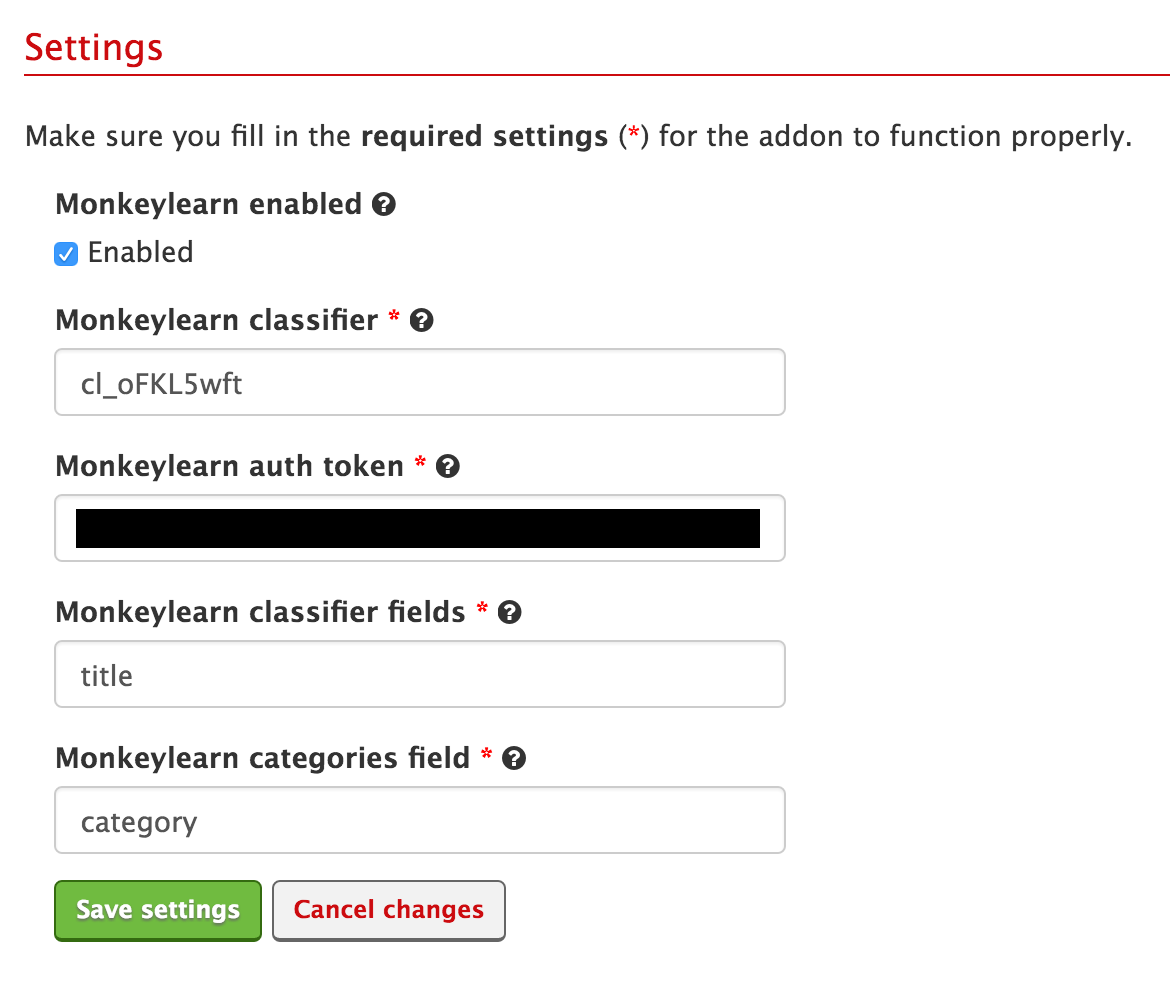
And you’re all done! Locked and loaded and ready to go with MonkeyLearn.
Using MonkeyLearn with Scrapy
The MonkeyLearn addon is a part of Scrapy Cloud, so you can use it with your Scrapy spiders. Scrapy is also open source, so you can easily run it on your own system.
The addon means you don’t need to worry about learning MonkeyLearn’s API and how to route requests manually. If you need to use MonkeyLearn outside of Scrapy Cloud, you can use the middleware for the same purpose.
When to use MonkeyLearn
We’re really excited about this integration because it is a huge step in closing the gap between data acquisition and analysis.
MonkeyLearn offers a range of text analysis services including:
- Classifying products into categories based on their name
- Detecting the language of text
- Sentiment analysis
- Keyword extractor
- Taxonomy classifier
- News categorizer
- Entity extraction
We’ll delve into what you can do with each of these tools in future tutorials. For now, feel free to experiment and explore this integration in your web scraping projects.
Wrap Up
Data and textual analysis is more efficient by combining MonkeyLearn's machine learning capabilities with our data extraction platform. Whether you are using this for personal projects (tracking and monitoring advance reviews for Captain America: Civil War [Team Cap]) or for professional tasks, we're excited to see what you come up with.
Keep your eyes peeled, the first tutorial will walk you through using the Retail Classifier with the MonkeyLearn addon. Sign up for free for Scrapy Cloud and for Monkeylearn and give this addon a whirl.