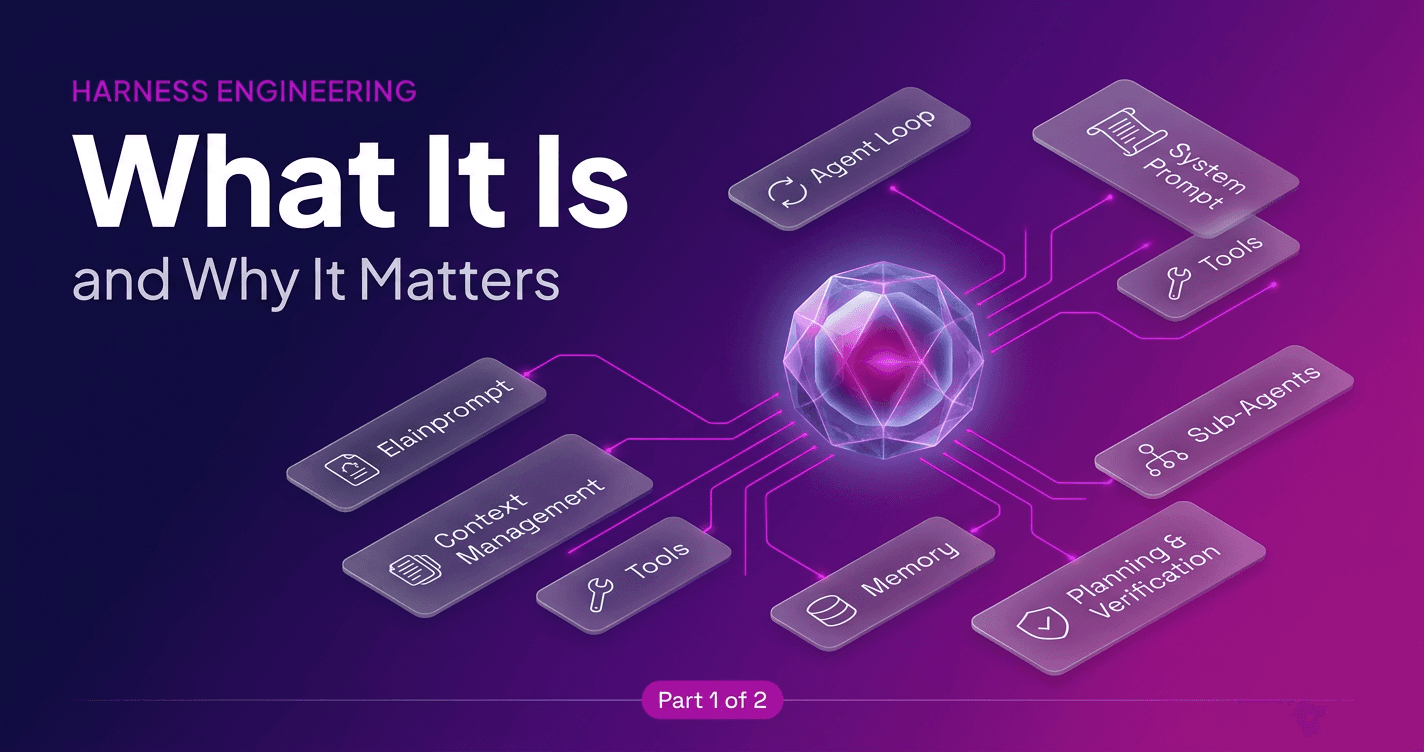
This is the second article in a two-part series. In the first part we worked out what an agent harness is, why the system around a model often matters more than the model itself, a case made well by both Satya Nadella's essay on the frontier ecosystem and LangChain's harness engineering writeup, and what the components of a harness are.
In this one I’ll share a hypothetical architecture of a data extraction agent and how the harness shall look if I have to design it around a model and Zyte API.
The agent we are going to design is a web data extraction agent: point it at a target site, tell it which fields you want, and have it return clean, structured records reliably and at scale. Web data extraction turns out to be an almost perfect place to learn harness engineering, for two reasons that will shape every decision we make, which are that pages are enormous and that extraction fails silently. Keep both of those in mind, because most of what follows is a direct response to them.
The loop, in scraping terms
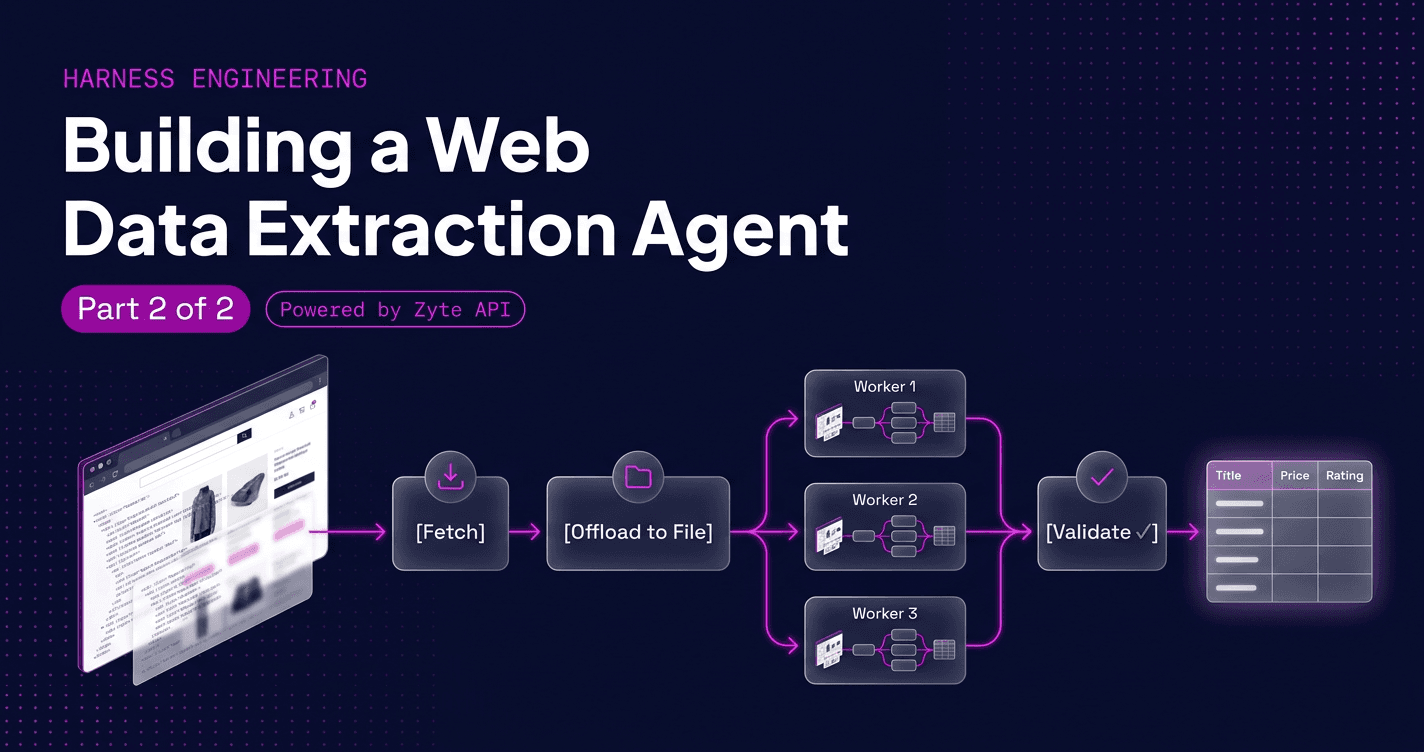
Remember all the components of an Agent harness from part 1? Every agent runs on a loop, and for our scraper that loop takes on a very concrete shape: fetch a page, pull out the records, check that they are valid, and either move to the next page or stop. Here is the whole pipeline before we fill in the pieces.

Each box in that diagram is a decision the harness makes, and each one is a place where a naive agent quietly goes wrong, so let us walk through them.
Giving the agent its hands: tools
The tools are what make this a scraping agent rather than a chatbot. Our agent needs a way to fetch a simple page, a way to render pages that only come alive once JavaScript has run in a headless browser. On top of those it needs a tool to extract structured records, which can lean on AI extraction instead of brittle hand-written selectors, a tool to validate those records, and a tool to save them, whether you build the whole thing on top of Scrapy or your own loop.
Why so many narrow tools instead of one general "run any command" tool? Because the harness can only govern what it can see. Rendering a page and routing it through an unblocking service both cost real money, so you want those as named tools the harness can meter, rate-limit, or pause for approval, rather than hidden inside a generic shell call where every action looks identical.
Don't drown in HTML
Remember the first of our two facts: pages are enormous. A single product page can run to hundreds of thousands of characters of HTML, and because the model is stateless the harness re-sends the whole conversation on every turn, so if you let raw HTML pile up in the context you pay for it again and again and quickly run out of room. The fix is a pattern worth memorizing, which is to offload, so the fetch tool writes the page to a file and hands the model back only a short reference and a preview, and the extract tool reads from that file rather than from the conversation.
1def fetch(url, store):
2    html = unblock_fetch(url)            # could be 300,000+ characters
3    path = store.save(url, html)         # write it to disk, out of the context window
4    return {"saved_to": path, "preview": html[:2000]}
5
6def extract(path, schema, store):
7    html = store.load(path)              # pull the page back only when needed
8 return run_extraction(html, schema)The model sees a pointer, decides what to do, and only pulls the heavy content back when it actually needs to extract from it, which keeps the conversation small, keeps cost down, and leaves the agent room to work across many pages without falling off the end of its window.
Teaching it to remember a site
The first time the agent visits a site it has to work out where the titles, prices, and pagination live, and that discovery is slow and identical on every run unless you give it somewhere to write down what it learned. A small per-site memory, a profile recording the selectors and the pagination pattern for a given domain, lets the next run skip straight to extraction, which is the same instinct behind feeding fresh web data into a retrieval pipeline for a RAG chatbot, where you store the knowledge once and pull it back on demand. The one caution is that a site's layout is a hypothesis rather than a promise, so a remembered profile should always be re-validated rather than trusted blindly, because stale memory that fails while looking confident is worse than no memory at all.
Scraping in parallel with sub-agents
Crawling hundreds of pages inside one conversation is slow and messy, which is where sub-agents earn their place, because instead of one agent grinding through every page an orchestrator spawns one child agent per page or category, each with its own fresh context, and each returns only the clean rows it managed to extract.
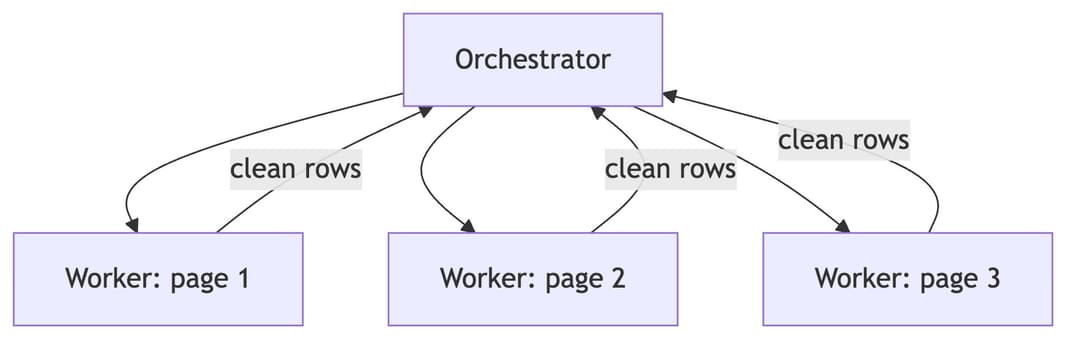
The win is twofold, in that the children run in parallel and each child's mess, the giant HTML, the retries, and the dead ends, stays trapped inside its own context and is discarded the moment it returns, so the orchestrator only ever sees tidy structured data. It is the same multi-agent orchestration I rely on in my own agentic coding setup, pointed at crawling instead of code. The catch is the flip side of the same coin, because a child knows only what you tell it, so its instructions have to carry the schema, the politeness rules, and the site profile, since its context starts completely empty.
The part everyone skips: verification
Now the second fact, the one that bites hardest, which is that extraction fails silently. A wrong selector does not throw an error, it quietly returns an empty string or the wrong element, and you end up with a few hundred records that look perfectly valid right up until someone downstream notices that every price field is null. Models do not reliably check their own work, so the harness has to, which means it should never trust the agent's own claim that it is finished and should instead gate completion behind an objective check.
1def is_done(records, schema, expected_count):
2    if len(records) != expected_count:   # the page said 48 products, did we get 48?
3        return False
4    return all(schema.validates(r) for r in records)
5# when is_done() returns False, the harness loops the agent again instead of stoppingThe strongest version of this hands a sample of the output to a separate verifier agent with a clean context and asks whether it really matches the page, because a fresh set of eyes catches the mistakes the original agent has already talked itself into accepting. Verification is not glamorous, and it is the single biggest difference between an agent that produces data and one that produces correct data.
Guardrails for the real world
Around this core you will add smaller guardrails, such as a counter that breaks the loop once the agent has retried the same blocked page five times, a budget cap so it does not spend a fortune on rendering and unblocking, and a politeness limit so it does not hammer the target site, all of which run as hooks around each step of the loop. Some of them are permanent, since the loop, the tools, and the offloading will be there no matter how good the model gets, while others are temporary patches for how today's models behave, and as models improve, and I am always adding new ones to my arsenal, you get to delete the patches you no longer need.
Putting it together
Strip away the details and our web data extraction agent is a short, stubborn loop: fetch a page, push the heavy HTML out to a file, extract structured records, check them against a schema, and only move on once that check passes, with sub-agents fanning the work out in parallel and a memory of each site so the next run starts smarter. The model in the middle is the easy part to swap, while the harness around it is where the reliability lives, and, to come back to where part one started, it is also where your moat lives, because anyone can rent the same model but nobody can copy the loop you have built around it.
If you want to build this for real, the pieces map cleanly onto what Zyte API already provides, giving you unblocking, headless rendering, and AI extraction as reliable tools your harness can call, so that your effort goes into the loop and the verification rather than into fighting bot walls. The free trial is the fastest way to start, and the documentation covers the full tool surface.