Introducing Javascript support for Portia
Note: Portia is no longer available for new users. It has been disabled for all the new organisations from August 20, 2018 onward.
Today we released the latest version of Portia bringing with it the ability to crawl pages that require JavaScript. To celebrate this release we are making Splash available as a free trial to all Portia users so you can try it out with your projects.
How to use it
Open a project within Portia. If you don't already have a an instance of Portia you can get started by downloading Portia from github or by signing up for our hosted instance.
If you would like to crawl using JavaScript in your project you can do so by:
- Navigating to your spider in Portia.
- Opening the Crawling tab.
- Clicking the Enable JS checkbox.
By clicking this checkbox you will now be able to annotate pages which require JavaScript to be enabled to be crawled correctly.
After you enable JavaScript you will be presented with the ability to limit which pages that JavaScript is enabled for. You can choose for JavaScript to only be run on certain pages in the same way that you can limit which pages are followed by Portia.
The reason you may want to limit which pages load JavaScript is that loading JavaScript can increase the amount of time required to run your spider.
Once you have made these changes you can publish your spider and it will be able to crawl pages that require JavaScript.
How do I know if I need it?
When you are creating a spider you can use the show followed links checkbox to decide if you need to JavaScript enabled on a page or not. By showing followed links you can see which links are followed only if JavaScript is enabled and which links are always followed.
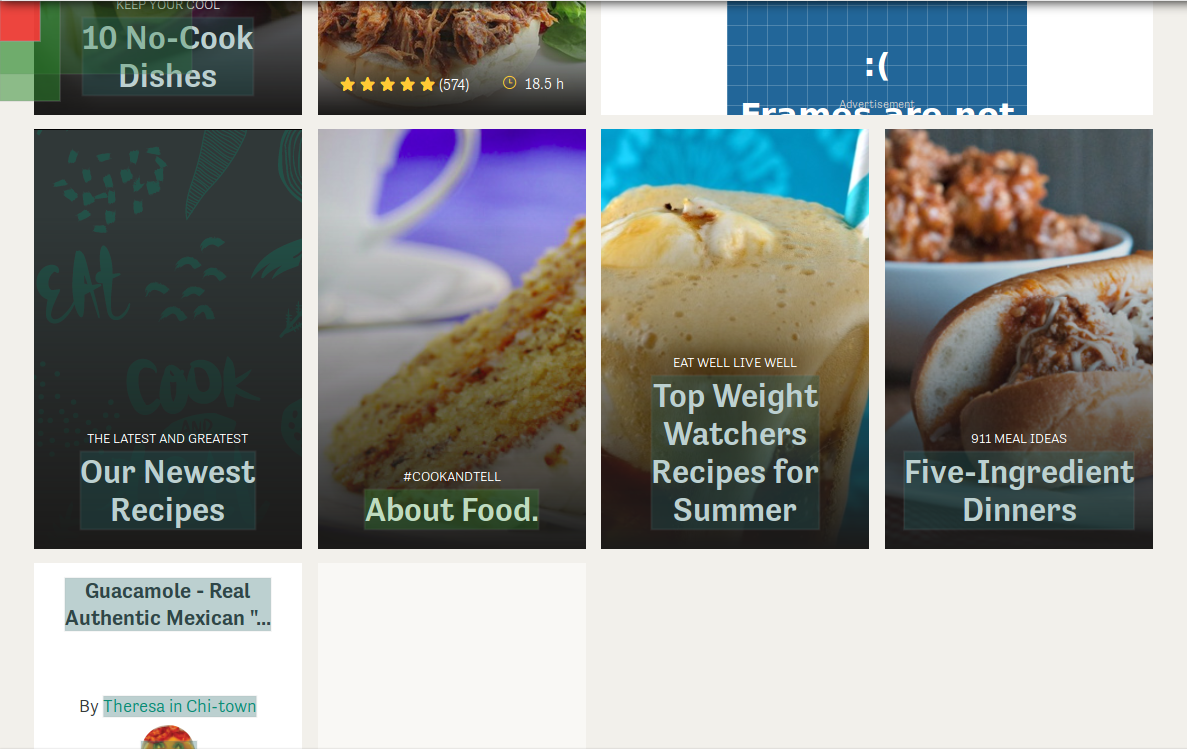 Links followed by Food.com. Green links will always be followed. Red links will never be followed. Blue links will only be followed if JavaScript is enabled.
To decide if you need JavaScript enabled for extracting data you can try to create a sample for the page that you wish to extract data from. If JavaScript is not enabled for this page and you can see the data you wish to extract then you don't need to change anything; your spider works! If you don't see the data you want then you can:
- Enable JavaScript for the spider as described above, or
- Add a matching pattern for this URL to the enable JavaScript patterns.
Using your own Splash
If you already have your own dedicated splash instance you can enable it for your project by adding its URL and your API key to the Portia addon in your project settings. If you would like to request your own Splash instance please visit your organization's dashboard page. If you would like to learn more about splash you can do so here.
This should be all you need to get started with JavaScript in Portia. If you need anything else, contact us, we're here to assist you. Happy Scraping!