
Your agent reports that a product page does not list a price. You open the same page in a browser, and the price is right there. Nothing errored, and nothing warned you. The agent was not being careless either: it answered honestly about the text it was handed, and that text was not the page you thought it had read.
That gap between what a page contains and what an agent receives is worth understanding before you reach for a bigger model or a more careful prompt. Neither one can recover information that never arrived. The fix is a different fetcher, and adding one takes a single command.
Why built in fetch tool is lossy?
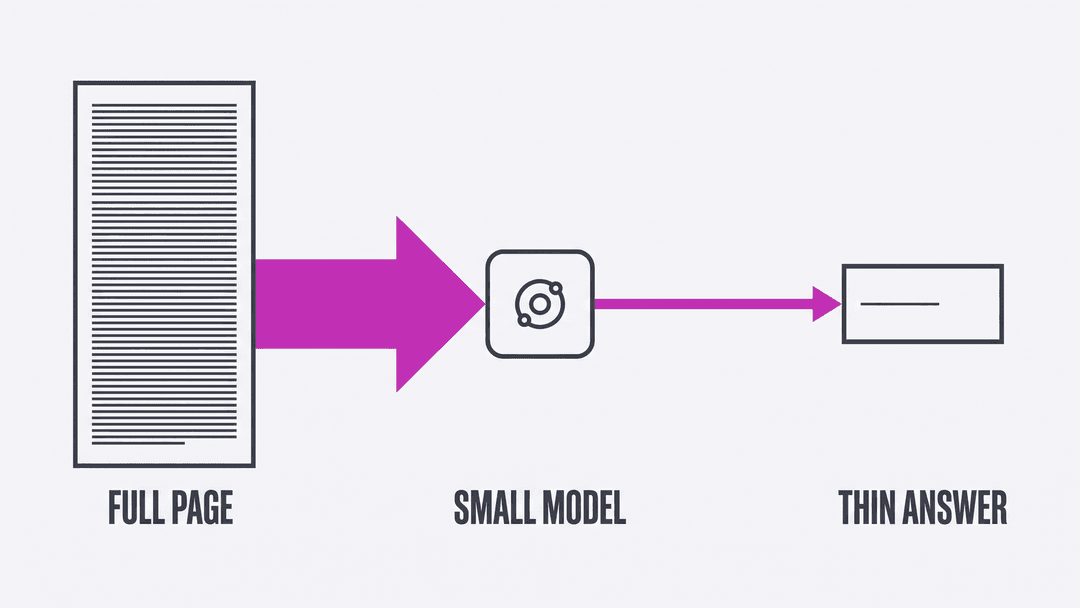
The built-in fetch tool in Claude Code is documented plainly, and the documentation is more candid than most developers expect. According to Anthropic's tools reference, WebFetch "fetches the page, converts the response to Markdown when the server returns HTML, and runs the prompt against the content using a small, fast model. For most fetches, Claude receives that model's answer, not the raw page." The same page notes that the conversion step "is not configurable."
Then comes the sentence that explains the missing price: "This makes WebFetch lossy by design."
That sentence describes a deliberate design choice rather than a bug, and it is a sensible choice for what the tool is built to do. Compressing a page into an answer works well when an answer is what you wanted. It works badly when you need the page.
The same section lists other behaviors that shape what reaches your agent. Large pages "are truncated to a fixed character limit before processing." Responses "are cached for 15 minutes, so repeated fetches of the same URL return quickly." A redirect to a different host comes back as a description of the redirect rather than being followed, which costs a second call. The tool also identifies itself, sending a User-Agent header that begins with Claude-User.
Why is built-in ‘fetch’ letting you down?
An error is cheap to deal with, because your agent sees it, tells you, and you go fix something. A thin result costs far more, because it looks exactly like a complete one and nothing in the response hints otherwise.
Anthropic's documentation names this directly: "The extraction prompt determines what reaches Claude, so a result that says a page doesn't mention something may only mean the prompt didn't ask about it." An agent working from a partial extraction has no way to tell a page that lacks a price from a page whose price did not survive the trip. It reasons sensibly from what it received, and what it received was already missing the answer.
The same reference documents a sharper version of the problem that has since been fixed: before version 2.1.212, "the API error text could reach Claude as if it were the extracted page content." An agent reading an error message as though it were a web page shows the problem without any ambiguity. Keep that picture in mind, because it is what a quiet degradation looks like from the agent's side.
Anthropic's suggested fallback is to : Shell Out
The documentation does not leave you stuck. Its advice when a fetch comes back thin is to "ask Claude to fetch again with a more specific prompt, or use curl via Bash for the unprocessed page."
That second option is the interesting one, because it concedes a useful point: when you need the actual page, the answer is to run a command. Your agent almost certainly has a shell tool already, so nothing has to be rebuilt to close this gap. The only open question is which command you point it at, and curl is the simplest option available rather than the most capable one.
The whole integration is one command
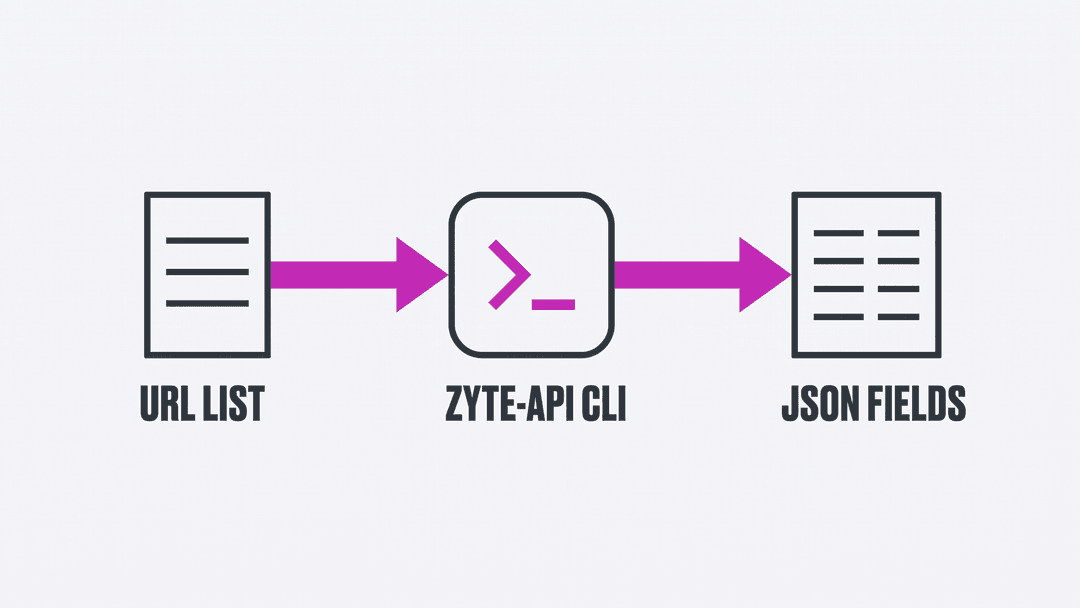
Zyte API has an official command-line client on PyPI, zyte-api, maintained by Zyte. Installing it is the entire integration:
1pip install zyte-api
2export ZYTE_API_KEY="your-api-key"From there, a plain text file of URLs is valid input, and one command reads it:
1zyte-api urls.txt --output results.jsonlAsking for fields instead of markup
Raw HTML beats a lossy summary, though it is still a large amount of markup for an agent to read and parse. Every token of it competes for context with the actual task. A JSON Lines input file lets you ask for something more useful, using Zyte API's automatic extraction:
1{"url": "https://books.toscrape.com/catalogue/a-light-in-the-attic_1000/index.html", "product": true}Worth knowing before you copy that line: the JSON Lines path sends exactly the fields you write, so browserHtml is not added for you the way it is with a text file. Ban avoidance is part of the service rather than a flag you set per request, so that still applies here. If you also want the page rendered in a browser first, put "browserHtml": true in the record alongside "product": true.
Run the command against that file and the response contains named fields rather than markup:
1{
2  "name": "A Light in the Attic",
3  "price": "51.77",
4  "currency": "GBP",
5  "currencyRaw": "£",
6  "availability": "InStock",
7  "sku": "a897fe39b1053632"
8}Most of the parsing work has gone. The price arrives as a decimal string, with the currency reported separately as a code and the raw symbol preserved alongside it. Nothing in your pipeline has to dig £51.77 out of a paragraph of markup, though you will still cast the string before doing arithmetic. Availability arrives as a normalized value instead of whatever markup the page happened to use to express it.
None of that requires a selector, so it is far less likely to break when a site redesigns its templates, and that is the failure that quietly consumes maintenance time on hand-written extraction code. Extraction is a model rather than a fixed rule, so every record also carries a probability score you can threshold on when accuracy matters more than coverage.
What the better fetch costs
Worth being straight about the trade, because none of this is free the way curl is. Zyte API's pricing documentation says the target website and the request type, HTTP or browser, "determine the request tier and base cost," and that there are five tiers for each of the two request types. So the text-file path, which switches browser rendering on for you, is opting you into the browser side of that pricing by default. Automatic extraction adds "$0.0004-$0.0016 per data type" on top, before volume discounts. Unsuccessful and rate-limited responses are not charged, so a fetch that fails does not bill.
The practical version: point this at the pages that need it rather than at everything. Run the numbers in Zyte's cost estimator before you wrap a loop around the command.
Wiring it into your agent
The wiring is one line. That is the practical advantage of a command-line tool over a custom integration: your agent already knows how to run commands. The only remaining step is telling it that this particular command exists and is worth reaching for.
One line in your project instructions covers it: ex in CLAUDE.md or AGENTS.md file add:
1When a fetched page comes back thin or incomplete, refetch it with
2`zyte-api urls.txt --output results.jsonl` and work from that result instead.Keep that instruction short, and resist the urge to explain the whole API inside it. As we argued in the best agent skill is the one that says the least, an agent instruction competes for attention with everything else in context. The version that earns its place is the one that says what to run and when.
Because this is an ordinary command, nothing here is specific to one vendor's agent. Any harness that can run a shell command can use it, which is a useful property while the tooling in this space keeps changing every few months. The minimal harness we built in an earlier post would take this addition without a single structural change.
When you should build a custom tool instead
A command-line client is the fastest path, though it is not always the right one. If you want the fetch to appear as a first-class tool in your agent's tool list, a custom tool is the better shape: a typed schema, its own permission rules, and results that never touch the filesystem. I walked through building exactly that in part four of the harness engineering series, including the tool definition and the handler behind it.
The honest guidance is to start with the command, because it takes two minutes and answers the question of whether better fetching solves your problem at all. Reach for a custom tool once you know the answer is yes and you want the ergonomics.
Try it yourself
Take a page your agent has struggled with, put its URL in a text file, and run it through the client. If the result looks nothing like what your agent has been reporting back to you, you have found the gap. It was never a prompting problem.
Signing up for Zyte API gives you a standard plan with no commitment and $5 of free credit for the first billing month. The documentation covers the extraction types beyond products, including articles, job postings, and search results.