Introducing Portia2Code: Portia projects into Scrapy spiders
Note: Portia is no longer available for new users. It has been disabled for all the new organisations from August 20, 2018 onward.
We’re thrilled to announce the release of our latest tool, Portia2Code!
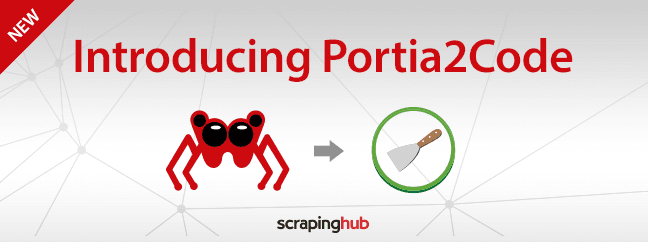
With it you can convert your Portia 2.0 projects into Scrapy spiders. This means you can add your own functionality and use Portia’s friendly UI to quickly prototype your spiders, giving you much more control and flexibility.
A perfect example of where you may find this new feature useful is when you need to interact with the web page. You can convert your Portia project to Scrapy, and then use Splash with a custom script to close pop-ups, scroll for more results, fill in forms, and so on.
Read on to learn more about using Portia2Code and how it can fit in your stack. But keep in mind that it only supports Portia 2.0 projects.
Using Portia2Code
First you need to install the portia2code library using:
1$ pip install portia2codeThen you need to download and extract your Portia project. You can do this through the API:
1$ curl --user $SHUB_APIKEY: 'https://portia-beta.scrapinghub.com/api/projects/$PROJECT_ID/download' > project.zip $ unzip project.zip -d projectFinally, you can convert your project with:
1$ portia_porter project converted_output_dirCustomising Your Spiders
You can change the functionality as you would with a standard Scrapy spider. Portia2code produces spiders that extend from scrapy.CrawlSpider, the code for which is included in the downloaded project.
The example below shows you how to make an additional API request when there’s a meta property on the page named ‘metrics’.
In this example, the extended spider is separated out from the original spider. This is to demonstrate the changes that you need to make when modifying the spider. In practice you would make changes to the spider in the same class.
1from scrapy.linkextractors import LinkExtractor from scrapy.spiders import Rule from ..utils.spiders import BasePortiaSpider from ..utils.processors import Field from ..utils.processors import Item from ..items import ArticleItem class ExampleCom(BasePortiaSpider): name = "www.example.com" start_urls = [u'http://www.example.com/search/?q=articles'] allowed_domains = [u'www.example.com'] rules = [ Rule(LinkExtractor(allow=(ur'd{6}'), deny=()), callback='parse_item', follow=True) ] items = [ [Item(ArticleItem, None, u'#content', [ Field(u'title', u'.page_title *::text', []), Field(u'Article', u'.article *::text', []), Field(u'published', u'.date *::text', []), Field(u'Authors', u'.authors *::text', []), Field(u'pdf', u'#pdf-link::attr(href)', [])])] ] import json from scrapy import Request from six.moves.urllib.parse import urljoin class ExtendedExampleCom(ExampleCom): base_api_url = 'https://api.examplemetrics.com/v1/metrics/' allowed_domains = [u'www.example.com', u'api.examplemetrics.com'] def parse_item(self, response): for item in super(ExtendedExampleCom, self).parse_item(response): score = response.css('meta[name="metrics"]::attr(content)') if score: yield Request( url=urljoin(self.base_api_url, score.extract()[0]), callback=self.add_score, meta={'item': item}) else: yield item def add_score(self, response): item = response.meta['item'] item['score'] = json.loads(response.body)['score'] return itemWhat's happening here?
The site contains a meta tag. We join its content attribute with the base URL given by base_api_url to produce the full URL for the metrics.
The domain of the base_api_url differs from the rest of the site. This means we have to add its domain to the allowed_domains array to prevent it from being filtered.
We want to add an extra field to the items extracted, so the first step is to override the parse_item function. The most important part is to loop over parse_item in the superclass in order to extract the items.
Next we need to check if the meta property ‘metrics’ is present. If that’s the case, we send another request and store the current item in the request meta. Once we receive a response, we use the add_score method that we defined to add the score property from the JSON response, and then return the final item. If the property is not present, we return the item as is.
This is a common pattern in Portia-built spiders. You would need to load some pages in Splash, which greatly increases the time to crawl a site. This approach means you can download the additional data with a single small request without having to load scripts and other assets on the page.
How it works
When you build a spider in Portia, the output consists largely of JSON definitions that define how the spider should crawl and extract data.
When you run a spider, the JSON definitions are compiled into a custom Scrapy spider along with trained samples for extraction. The spider uses the Scrapely library with the trained samples to extract from similar pages.
Portia uses unique selectors for each annotated element and builds an extraction tree that can use item loaders to extract the relevant data.
Future Plans
Here are the features that we are planning to add in the future:
- Load pages using Splash depending on crawl rules
- Follow links automatically
- Text data extractors (annotations generated by highlighting text)
Wrap Up
We predict that Portia2Code will make even more useful to those of you who need to scrape data fast and efficiently. Let us know how you will use the new Portia2Code feature by Tweeting at us.
Happy scraping!