Your scraper works on your laptop, right up until you need it to run overnight, fire on a schedule, or keep going while you context-switch to other work. The next time you spin up a VPS to give it a persistent home, you spend the better part of an afternoon rebuilding from memory: installing Scrapy, wiring up Redis, configuring the systemd units, getting Playwright's Chromium dependencies in the right state. Three months later, when that VM dies and you need another one, the process repeats, and the result is never quite identical to what you had before.
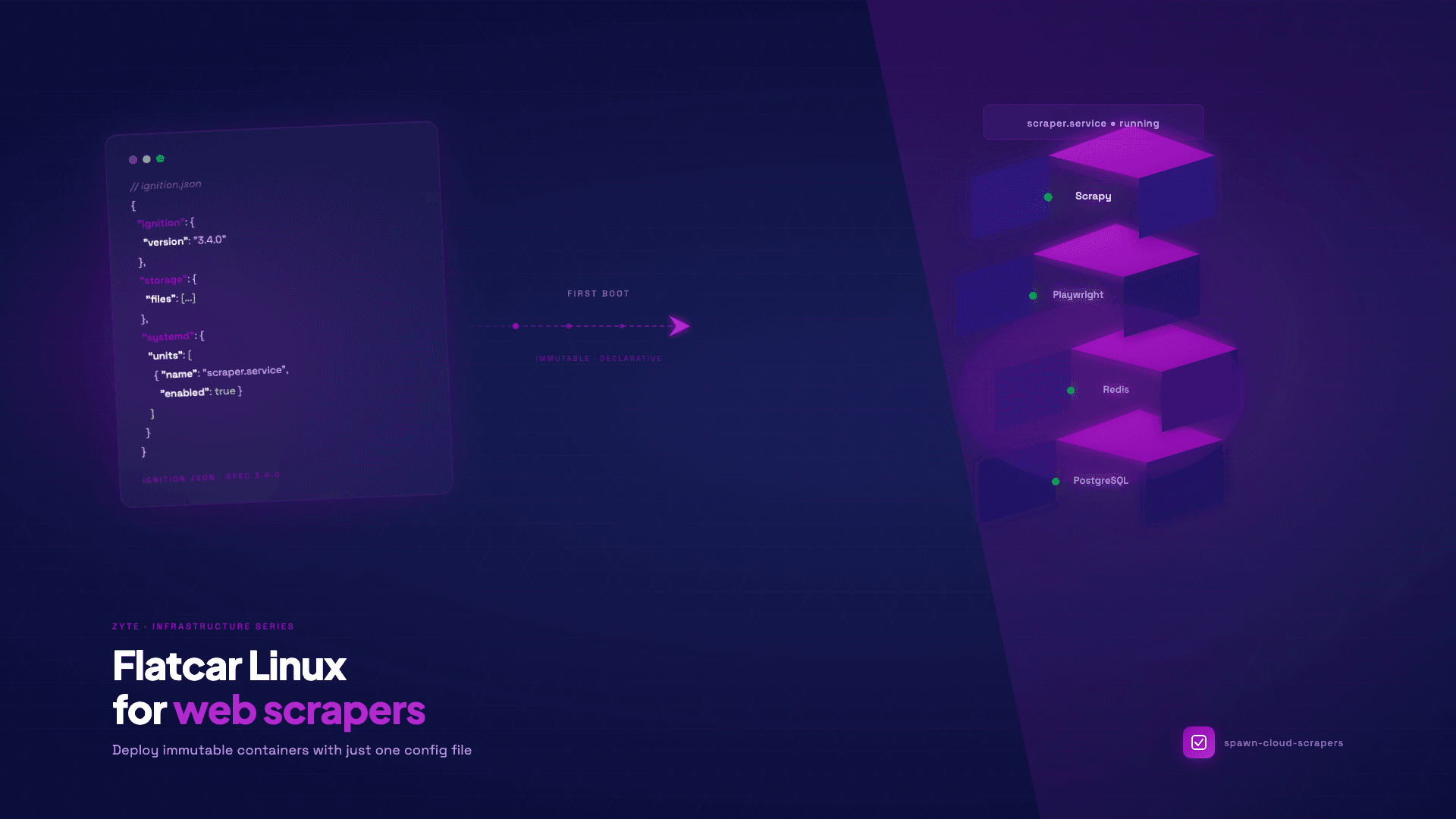
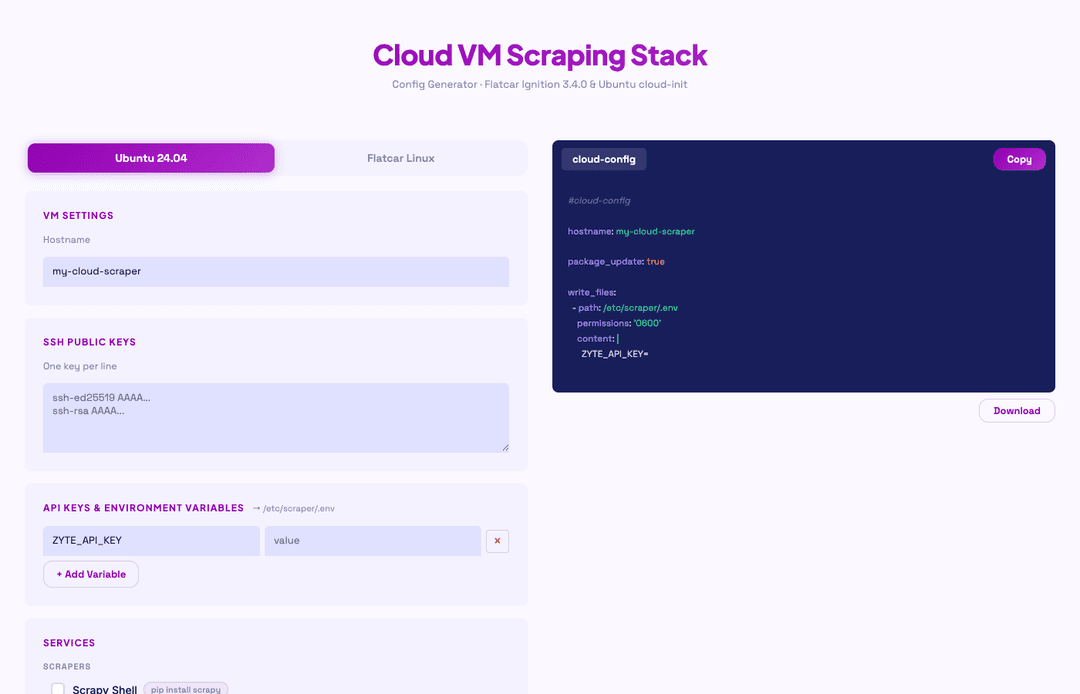
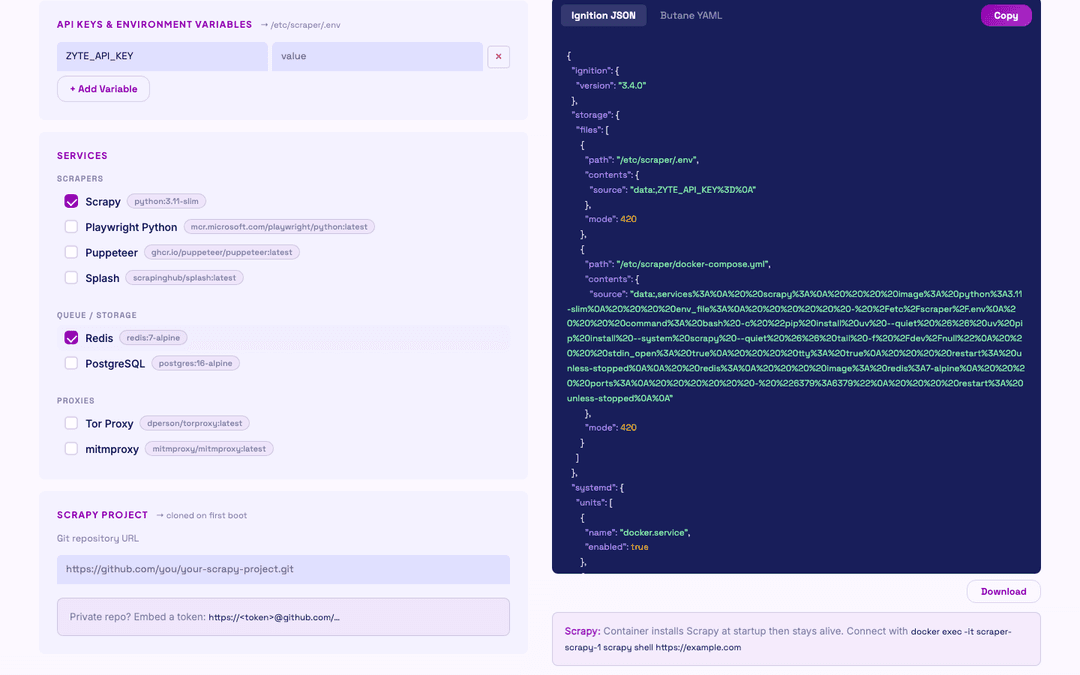
I had a similar problem, so I built spawn-cloud-scrapers to eliminate that loop. Fill a form in your browser, tick the services you need, add your ZYTE_API_KEY or any other environment variables, optionally paste a GitHub URL for an existing Scrapy project, and walk away with a config file that provisions your entire scraping stack on first boot with no manual intervention. For engineers who want that config to be truly declarative, with an OS that is immutable, every machine guaranteed identical, and the entire system state expressed in a single JSON file, Flatcar Linux is the right foundation.
Why your scraper needs a dedicated VPS
Running crawls from a laptop is workable for small, occasional jobs, but it falls apart in any scenario that demands persistence: a crawl that runs overnight, a scheduled job that fires at 3am, a long-running spider that needs to keep going after you close your machine. A dedicated VPS gives you a process that runs whether your laptop is open or not, an environment you can SSH into from anywhere, and a clear boundary between your scraping workload and your development machine.
If the challenge you are solving is avoiding blocks and IP bans, Zyte API handles that layer entirely: IP rotation, browser use for JS rendering, and unblocking in a single API call, so your spider does not have to carry that logic at all. What a VPS gives you is somewhere for that spider to live and run from: a server that stays up, restarts cleanly, and can be reproduced exactly when you need a second instance.
The other problem a VPS solves is consistency. Every time you provision a new VM by hand, you introduce small variations: a different Python version, a missing playwright install step, a Redis config that was tweaked months ago and never written down. Over time those variations accumulate, and debugging becomes a matter of reconstructing which setup decisions were made when. The answer is to stop treating VM provisioning as a manual procedure and start treating it as a config file you commit and version.
What is Flatcar Linux?
Flatcar Linux is a container-optimized operating system descended from CoreOS, which Red Hat acquired in 2018 before stewardship passed to Kinvolk and eventually to Microsoft, which now maintains it as a CNCF project. The design premise is straightforward: the root filesystem is read-only, there is no package manager, and the only way to run software is inside a container. You cannot apt install anything or modify system files at runtime. The OS does one job, it does it well, and it stays out of your way.
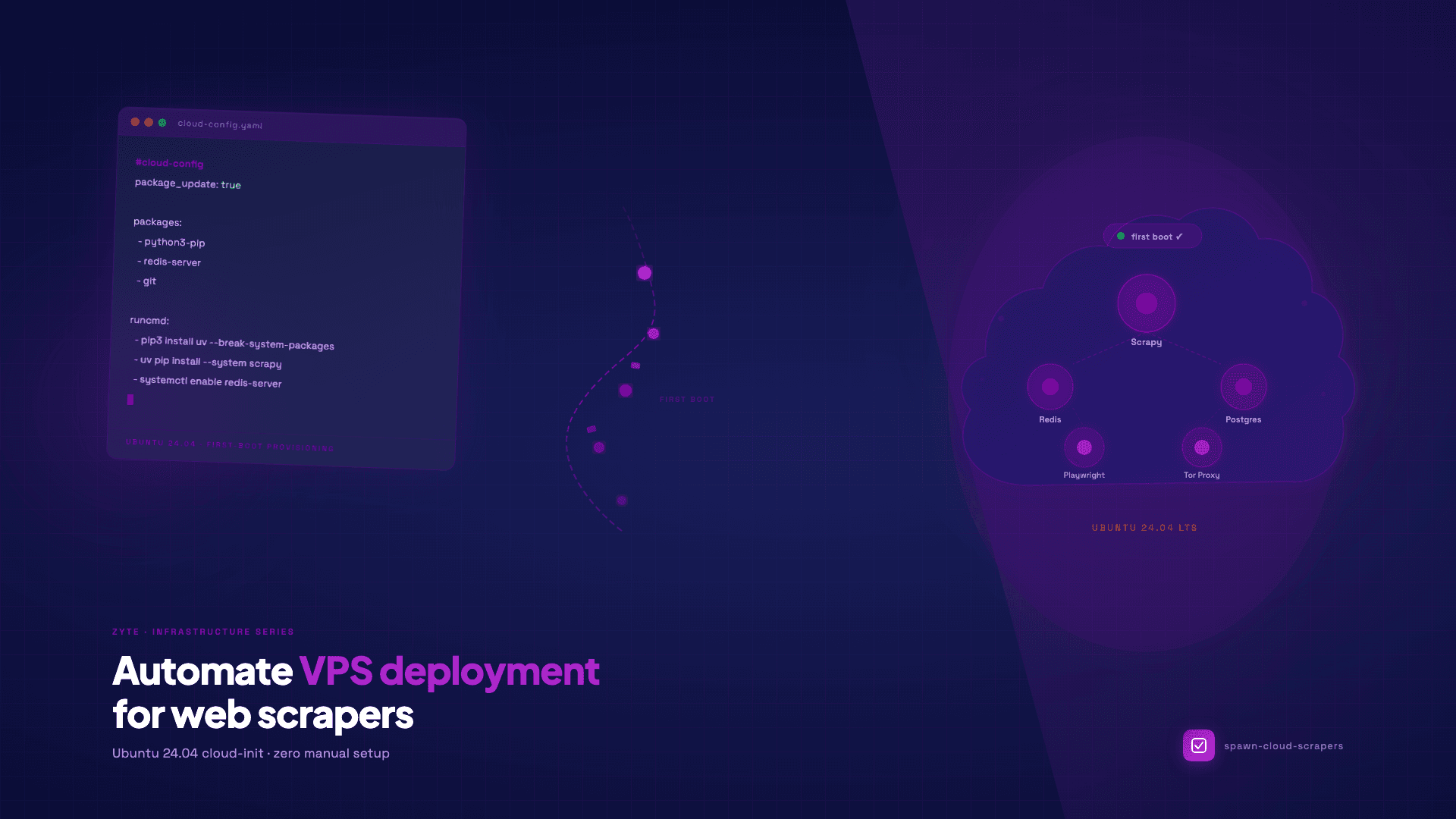
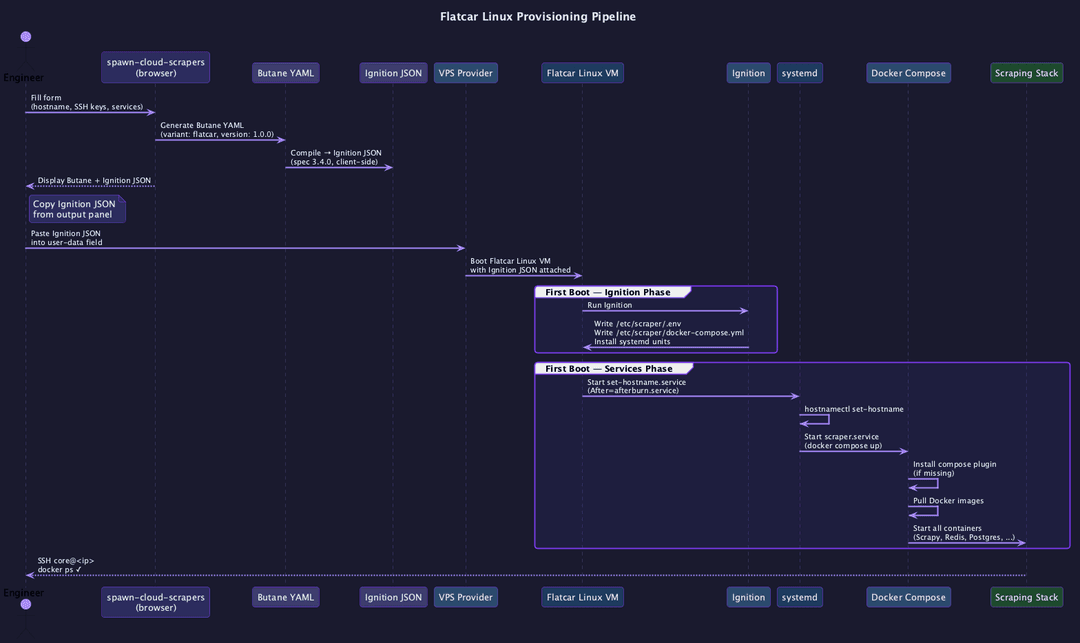
Provisioning on Flatcar happens entirely through a declarative config applied during the very first boot, before the system comes up fully. The machine reads the config file, sets up filesystems, writes environment files, installs systemd units, and configures user access, all atomically, with no SSH session involved. From that point forward, if the machine reboots or a container crashes, it comes back to exactly the state the config declared. There is no configuration drift because there is no mechanism for it.
For web scraping infrastructure, this model is close to ideal. A scraping machine is not a general-purpose workstation. It runs a defined set of services, it needs predictable networking, and it must come back cleanly after a restart. Flatcar forces you to express that definition up front, and then enforces it permanently.
The Butane to Ignition pipeline
Flatcar's provisioning format is called Ignition, and it is consumed as JSON. Ignition JSON is designed to be unambiguous and machine-readable, which means it is also tedious to write by hand: file contents must be embedded as URL-encoded data:, URIs, file permissions use decimal notation (420 is the decimal for the more familiar 0644 octal), and the overall structure is deeply nested.
The practical solution is to author a higher-level format called Butane YAML, which looks like normal configuration, and compile it down to Ignition JSON. A Butane file for Flatcar starts with two lines:
1variant: flatcar
2version: 1.0.0From there you declare storage files, systemd units, and SSH authorized keys in a syntax that is readable without a JSON decoder. spawn-cloud-scrapers handles the compilation step client-side in the browser: no server, no CLI tools, no local butane binary required. When you switch to Flatcar mode in the UI, the output panel shows both the human-readable Butane YAML and the machine-ready Ignition JSON you will actually paste into your VPS provider.
What spawn-cloud-scrapers generates
The tool supports eight services, each mapped to a specific Docker image:
| Service | Docker image | Role |
|---|---|---|
| Scrapy | python:3.11-slim | Python spider framework |
| Playwright Python | mcr.microsoft.com/playwright/python:latest | Browser automation |
| Puppeteer | ghcr.io/puppeteer/puppeteer:latest | Node.js headless Chrome |
| Redis | redis:7-alpine | Queue / cache (port 6379) |
| PostgreSQL | postgres:16-alpine | Relational DB (port 5432) |
| Tor Proxy | dperson/torproxy:latest | Anonymous routing (port 9050) |
| mitmproxy | mitmproxy/mitmproxy:latest | Traffic inspection (port 8080) |
Select any combination and the generated Ignition JSON will include three files written to /etc/scraper/: your environment variables in .env, a docker-compose.yml wiring the services together, and two systemd units: scraper.service, which manages the compose stack, and set-hostname.service, which handles a Vultr-specific edge case described later.
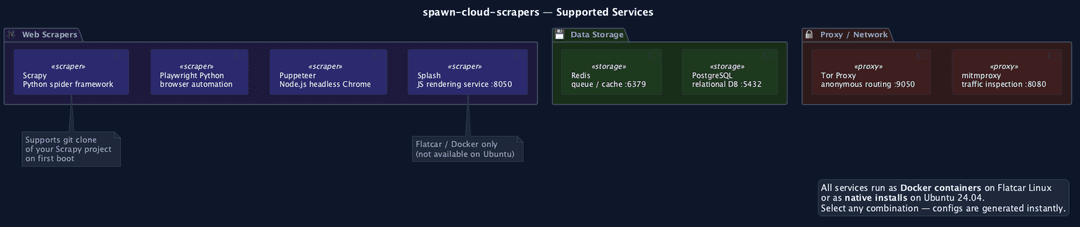
If you have an existing Scrapy project in a git repository, the tool includes a git URL field that adds a clone step to the container's startup command. On first boot, the container pulls your project code, installs its dependencies from requirements.txt if present, and falls back to a bare Scrapy install if not.
Getting started
The tool runs entirely in your browser with no installation required. Visit spawn-cloud-scrapers and it is ready immediately. If you prefer to run it offline or fork it for your own team:
1git clone https://github.com/zytelabs/spawn-cloud-scraper
2open index.html # macOS; or double-click the file in any OSThe workflow is:
- Enter a hostname and paste your SSH public key(s).
- Add environment variables (your ZYTE_API_KEY, database credentials, or any other secrets that will land in /etc/scraper/.env on the VM).
- Tick the services you need.
- Optionally paste a git URL for your Scrapy project.
- Switch to Flatcar mode using the tab at the top of the output panel.
- Copy the Ignition JSON and paste it into your VPS provider's user-data field.
Inside the generated config
The systemd unit that manages your stack is worth understanding before you deploy it, because it does more than just call docker compose up. Here is the generated scraper.service content:
1[Unit]
2Description=Scraper Docker Compose Stack
3After=docker.service set-hostname.service
4Requires=docker.service
5
6[Service]
7Type=oneshot
8RemainAfterExit=yes
9TimeoutStartSec=300
10ExecStartPre=/bin/bash -c 'mkdir -p /root/.docker/cli-plugins && \
11  [ -f /root/.docker/cli-plugins/docker-compose ] || \
12  curl -L https://github.com/docker/compose/releases/download/v2.36.1/docker-compose-linux-x86_64 \
13  -o /root/.docker/cli-plugins/docker-compose && \
14  chmod +x /root/.docker/cli-plugins/docker-compose'
15ExecStartPre=/usr/bin/docker compose -f /etc/scraper/docker-compose.yml pull
16ExecStart=/usr/bin/docker compose -f /etc/scraper/docker-compose.yml up -d
17ExecStop=/usr/bin/docker compose -f /etc/scraper/docker-compose.yml downA few design decisions here are worth noting. The ExecStartPre step downloads the Docker Compose v2 plugin if it is missing, rather than depending on a package that may or may not be present on the base image; this makes the unit self-contained across provider images. The TimeoutStartSec=300 gives the pull step five minutes, which matters if you have selected several large images like the Playwright container. And RemainAfterExit=yes means systemd considers the unit "active" after the docker compose up -d call returns, so systemctl status scraper gives you a useful answer rather than reporting "inactive" the moment compose detaches.
The Scrapy container is configured differently from the others. Because the typical use case is an interactive scrapy shell session rather than a long-running server, the container runs tail -f /dev/null to stay alive, with stdin_open: true and tty: true so you can attach to it. Pulling this approach into your own setup is one of the practical infrastructure tips explored in Scraping Swiss Army Knife: my personal fix for web setup fatigue, which covers the complementary case of a local Docker environment for exploration work.
CLI automation with Vultr
Vultr has first-class Flatcar support as a built-in OS choice, which makes it a natural starting point. The vultr-cli tool lets you automate the entire deployment from your terminal:
1# macOS
2brew install vultr-cli
3# Linux: https://github.com/vultr/vultr-cli
4
5export VULTR_API_KEY="your_api_key_here"
6
7vultr-cli instance create \
8  --region ord \
9  --plan vc2-1c-1gb \
10  --os 2077 \
11  --userdata "$(cat ignition.json)" \
12  --auto-backup=false \
13 --label my-cloud-scraperOS ID 2077 is the Flatcar Stable channel. After about 90 seconds for the initial boot and image pulls, you can verify the stack is running:
1ssh -i ~/.ssh/your_key core@<ip> "docker ps"Note the user: on Flatcar, the default unprivileged user is core, not ubuntu or ec2-user. Once you are in, you can reach each service directly:
1# Scrapy interactive shell
2docker exec -it scraper-scrapy-1 scrapy shell https://example.com
3
4# Redis health check
5docker exec -it scraper-redis-1 redis-cli ping
6
7# Splash JS renderer
8curl http://<ip>:8050/
9
10# Tor exit node confirmation
11curl --socks5 <ip>:9050 https://check.torproject.org/api/ipOnce your stack is running and confirmed healthy, attaching Spidermon for spider monitoring is a natural next step: the Spidermon setup guide covers adding item validation, field coverage monitors, and Slack alerts to a Scrapy project in detail.
VPS provider support
Flatcar is available across most major cloud platforms, though the mechanism for attaching the image varies by provider:
| Provider | Flatcar support | Notes |
|---|---|---|
| Vultr | Built-in OS | OS ID 2077 (Stable), works directly with vultr-cli |
| Hetzner Cloud | Via snapshot | Upload the Flatcar image, attach as custom OS |
| AWS EC2 | Marketplace AMI | Available in all regions |
| Google Cloud | Custom image | Flatcar GCP images published by the Flatcar project |
| Azure | Marketplace | Search "Flatcar Container Linux" in the Marketplace |
| Equinix Metal | First-class | Native support; excellent for bare metal workloads |
| OpenStack | Custom image | Upload the qcow2 image to Glance |
| DigitalOcean | Not supported | Use the Ubuntu cloud-init mode in spawn-cloud-scrapers instead |
| Linode/Akamai | Not supported | Use the Ubuntu cloud-init mode in spawn-cloud-scrapers instead |
For providers that require a custom image, the Flatcar project publishes signed image artifacts for every major cloud format. The Ignition JSON produced by spawn-cloud-scrapers is compatible with any of them, since Ignition is a standardized spec, not a Vultr-specific format.
Practical notes before you deploy
Hostname persistence on Vultr. Vultr runs an agent called Afterburn that writes the provider-assigned hostname to /etc/hostname after Ignition has already run, which means your custom hostname gets overwritten. The generated config includes a set-hostname.service unit that runs after afterburn.service and reapplies your hostname using hostnamectl set-hostname. This happens automatically; no extra steps are needed.
Container restart resilience. If you have set a git URL for your Scrapy project, the container's startup command uses || git pull || true rather than a bare git clone. This means container restarts and full VM reboots after the initial clone do not fail because the target directory already exists: a pull is attempted, and if that also fails for any reason, the startup continues anyway with whatever code is present. The scraping stack comes back cleanly.
Scaling. Because the entire machine state is declared in one file, horizontal scaling is a copy-paste operation. Clone the Ignition JSON, update the hostname field, and deploy a second VM. Every other parameter, including the images, the environment variables, and the compose config, is guaranteed identical.
Immutability in practice. Since the root filesystem is read-only, any changes you make to running containers at the OS level do not survive a reboot. This is a feature, not a limitation: it means a reboot always returns you to a known state, and the temptation to "fix something quickly over SSH" and forget to document it does not exist. If you need a persistent change, update the Ignition JSON and redeploy. The production infrastructure patterns described in Hybrid scraping: the architecture for the modern web benefit from this kind of baseline stability, since the scraping logic can evolve without worrying about the infrastructure layer underneath it drifting.
Try it now
Visit spawn-cloud-scrapers, select your services, switch to Flatcar mode, and copy the generated Ignition JSON. The source code is on GitHub under a permissive license if you want to adapt it for your team's standard stack.
If you prefer Ubuntu 24.04 or need to deploy to a provider that does not support Flatcar, the same tool generates a cloud-init YAML that works on any cloud-init-compatible provider with no changes to the service selection workflow.
If you would rather skip the infrastructure layer entirely, Scrapy Cloud is worth checking out. It provides fully managed hosting for Scrapy spiders, with a generous free tier, built-in scheduling, job monitoring, and no VMs to provision or maintain.